Thanks I checked and I did put the port in. I am not sure what I have changed but I have made progress as I am getting the handshake.
Initially I added "::/0" in the Allowed IP and thought that is what caused the connection to work but I removed it and just left "0.0.0.0/0" and it was still working

I also needed to stop the Wan.6 interface (IPV6 as I found that Surfshark Wiregurad VPN does not support that).
My next issue is that I am trying to leverage PBR to only route a certain local IP address via the Wireguard VPN. That seems to be working as I can my external IP address is defualting to the VPN location but I am still getting DNS leak issue.
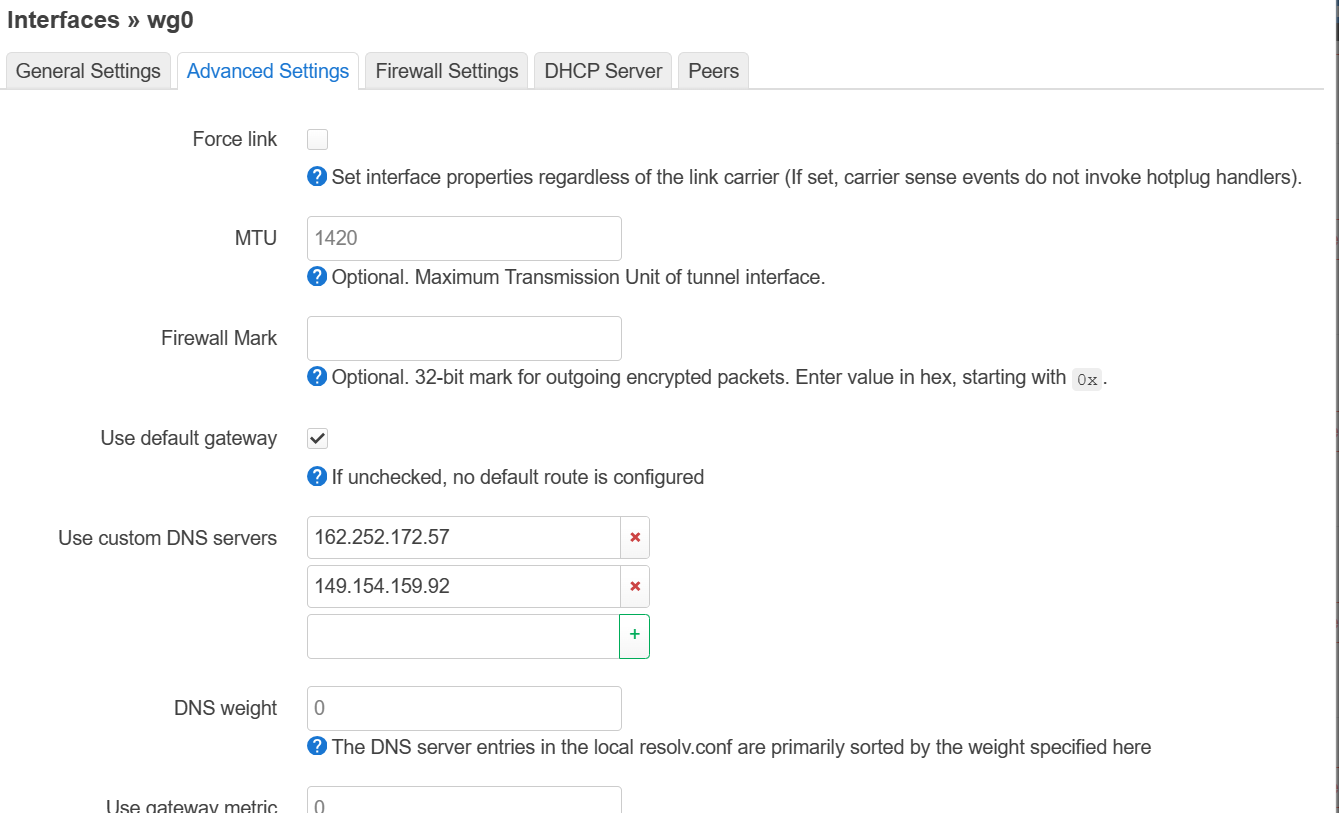
Below is a screenshot of the DNS config in the WG interface.
I have defined the custom DNS is there any other setting I need to specify?
Also asides from doing a external DNS leak test from the surfshark website how do I test on Windows 11 that I am indeed using the DNS servers assigned from the VPN interface? I have done an ipconfig /all and the DNS server allocated is still the openwrt router IP