Hello,
I have 2 routers (ISP and another one with OpenWRT that has OpenVPN enabled) connected through WiFi. I have changed the gateway in the OpenWRT (rest is the default configuration) and there are several devices connected to its WiFi.
I tried to exclude some of those devices (through IP and through MAC) from passing to the VPN but didn´t achieve success (all devices still pass through the VPN)
OpenWrt 24.10.2, r28739-d9340319c6
 -----------------------------------------------------
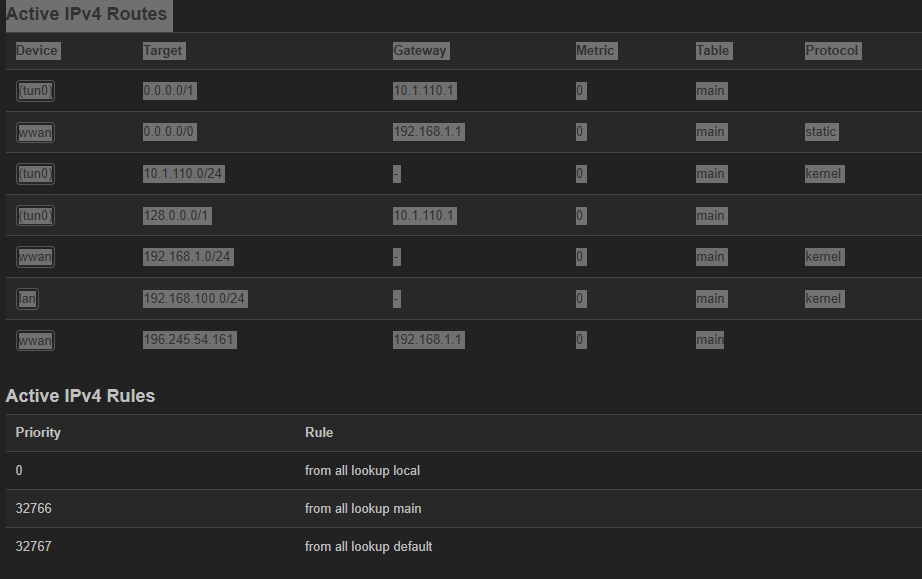
root@OpenWrt:~# ip route show
0.0.0.0/1 via 10.17.110.1 dev tun0
default via 192.168.1.1 dev phy0-sta0 proto static src 192.168.1.140
10.17.110.0/24 dev tun0 proto kernel scope link src 10.17.110.28
128.0.0.0/1 via 10.17.110.1 dev tun0
192.168.1.0/24 dev phy0-sta0 proto kernel scope link src 192.168.1.140
192.168.100.0/24 dev br-lan proto kernel scope link src 192.168.100.1
196.245.54.178 via 192.168.1.1 dev phy0-sta0
Is there a way to achieve excluding some of those devices from using the VPN while the rest of the traffic does pass through it?
Any help or guidance will be much appreciated, if there a need for additional information don´t hesitate to ask.
You need policy based routing. This will allow you to set the specific devices that should bypass the VPN. (you should probably set a DHCP reservation for those devices so that you can guarantee they are always using the same IP).
it is the option that I have been trying to configure but I can't do it, I don't know if it is because the active interface is wwan and it does not recognize pbr or other configurations that I do not do correctly, would you be so kind as to send me an example, I would greatly appreciate it because I am lost in this.
Configuration installed and working, like tithes in these parts, he who knows knows, I went crazy looking for and putting into practice other operations but I couldn't get the correction right, thank you very much.