I just bought a router that’s on sale for $60 and wanted to see if it would be possible to develop firmware for it I already opened it up. I’m planning to get a ttyl , multimeter and some good clips to use. The JP1 pins are already labels and I’m hoping this would be easy

I'm guessing you're not in US, it's a terrible price for the hw you get (if you were in US).
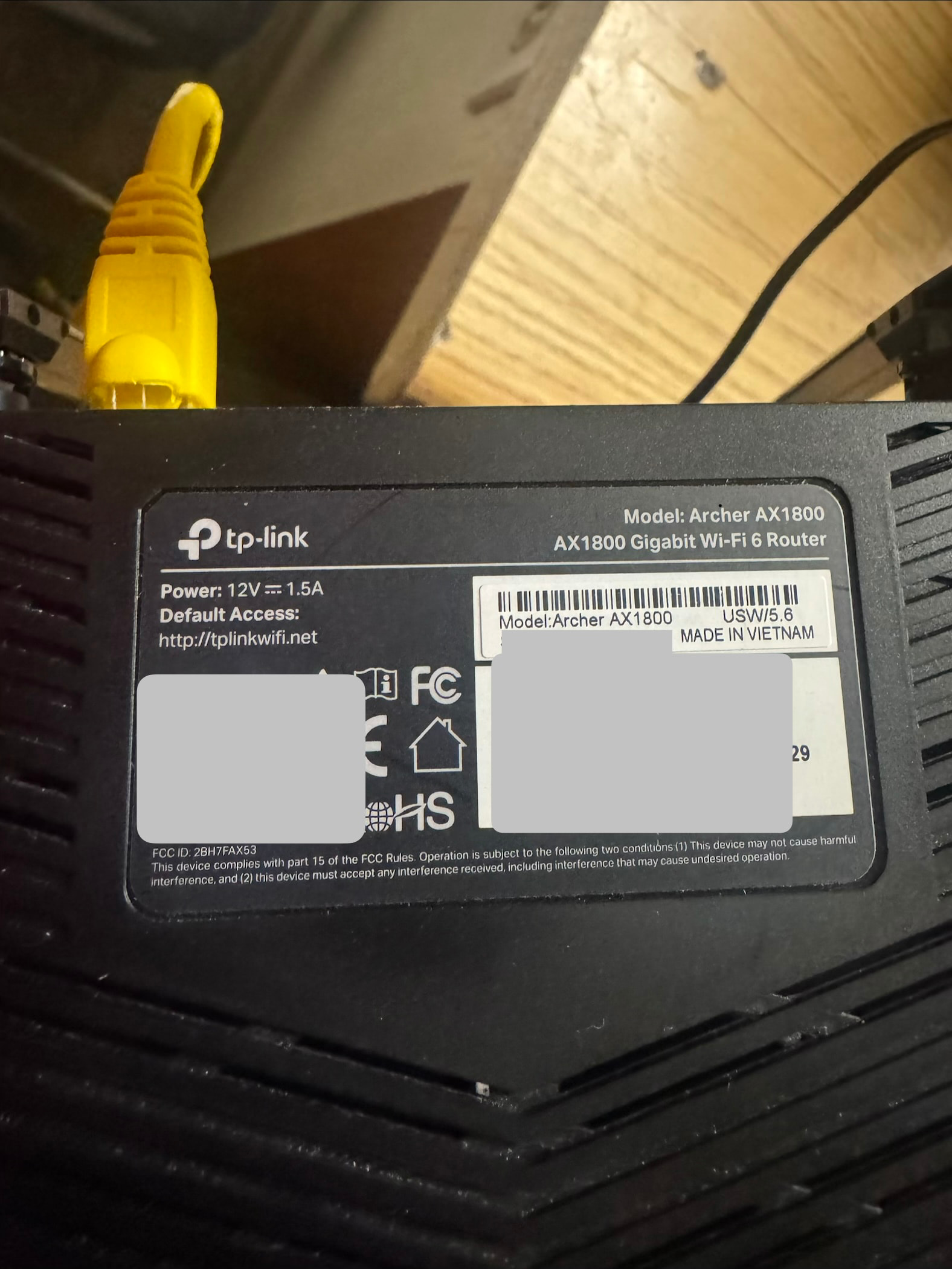
AX1800 is speed specification. What is the real model on the printed label?
an "Archer AX1800" seems to exist though - Support For TP-Link Archer AX1800 US version 4.6 - #14 by yeric1789.
I am in the US
from a pure money perspective, you should return it...
there might obviously be other things that makes you tick, not $$$.
Says ax53 at the end of the fcc id
v2 or v1 ?
v2 is a no go - Add support for TP-Link AX53 - #5 by misha4870.
OK, maybe in US....
@Awesomeslayerg can you find firmware download site and flash exact firmware version installed on your router from the factory? Then tell us the page with fw versions... Probably it is some model already supported just renamed..... At least PCB does not look like AX23...
AX53 is Qualcomm, AX23 is MediaTek.
fw though looks like it https://www.tp-link.com/us/support/download/archer-ax1800/#Firmware
SupportList:
{product_name:Archer AX23,product_ver:2.0.0,special_id:55530000}
{product_name:Archer AX23,product_ver:2.0.0,special_id:45550000}
{product_name:Archer AX23,product_ver:2.0.0,special_id:43410000}
{product_name:Archer AX23,product_ver:2.0.0,special_id:54570000}
{product_name:Archer AX23,product_ver:2.0.0,special_id:53470000}
{product_name:Archer AX23,product_ver:2.0.0,special_id:45470000}
{product_name:Archer AX1800,product_ver:2.0.0,special_id:45550000}
{product_name:Archer AX1800,product_ver:5.0.0,special_id:55530000}
{product_name:Archer AX21,product_ver:5.0.0,special_id:55530000}
{product_name:Archer AX20,product_ver:5.0.0,special_id:55530000}
¯_(ツ)_/¯
then it's not an AX53, I guess.
full FCC ID would help
then again there might be hw diffs between AX53 versions.
The fw - not "US" but "USW" (google returned that) is similar to AX23 (by internal model string) but PCB is different from FCC record of AX23....
IPQ0509 photos say, but description also says AX53 AX3000, so it doesn't add up.

Do not upgrade past what you had from factory...
OK, it is a new device id for AX23
You see 4 pins for 3.3v ttl?
You need a 3.3v serial adapter, preferably with breadboard wires included. Then try to interrupt bootloader and boot AX23 firmware from https://firmware-selector.openwrt.org/?version=SNAPSHOT&target=ramips%2Fmt7621&id=tplink_archer-ax23-v1 (not my fault selector is broken, tap extra to confirm model)
Once there we go work out remaining bits.
serial is probably JP1 at the edge of the PCB, next to the LEDs.
1 Like
I don't think the archer-ax23-v1 OpenWRT image is going to work on this device. It looks like AX1800 v5.6 uses the same firmware as AX23 v2, which is called out as being a different SoC than the supported AX23 v1 on the AX23 device page: [OpenWrt Wiki] TP-Link Archer AX23.
AX1800 USW v4.6 will work with that image, though: TP-Link AX1800(USW) Ver:4.6 - For Developers - OpenWrt Forum.
Looks like there was a forum thread attempting to add support for AX23 v2: Adding OpenWrt Support for TP-Link Archer AX23v2 - For Developers - OpenWrt Forum. The hardware picture on that one looks similar to what is posted here.
1 Like
Not really, since it was discovered it only had 256MB RAM.