hello i'm using LEDE 17.0.1.4 on raspberry pi 3
and i'm in trouble
i want to intall python
so i run "opkg update" then the error occured like this
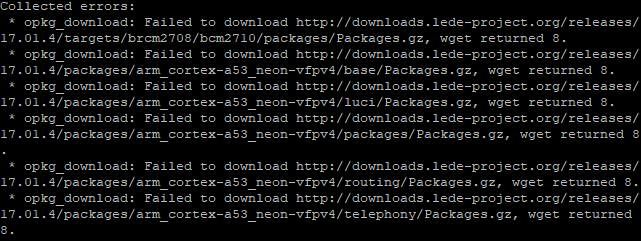
what's the problem?? somebody help me plz
hello i'm using LEDE 17.0.1.4 on raspberry pi 3
and i'm in trouble
i want to intall python
so i run "opkg update" then the error occured like this
what's the problem?? somebody help me plz
I just ran opkg update in SSH with no issues.
root@LEDE:~# opkg update
Downloading http://downloads.lede-project.org/releases/17.01.4/targets/ar71xx/generic/packages/Packages.gz
Updated list of available packages in /var/opkg-lists/reboot_core
Downloading http://downloads.lede-project.org/releases/17.01.4/targets/ar71xx/generic/packages/Packages.sig
Signature check passed.
Downloading http://downloads.lede-project.org/releases/17.01.4/packages/mips_24kc/base/Packages.gz
Updated list of available packages in /var/opkg-lists/reboot_base
Downloading http://downloads.lede-project.org/releases/17.01.4/packages/mips_24kc/base/Packages.sig
Signature check passed.
Try again.
so i replace http to https and tried again
but opkg doen't work ... how can i install ca-certificate

Could be a temporary issue.
http just worked for me.
no i just tried few days ago but still not work....
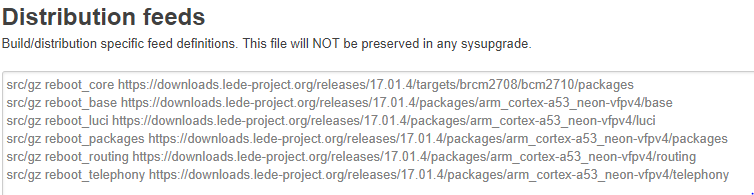
here is my distribution feeds
plz help
If you're running a snapshot, download the latest.
hmm....
using https need to install ca-bundle
but i can't using opkg ...
how can i install ca-bundle ?
is there any way??
what is snapshot ???
like in vmware?? or otrher mean??
i just install openwrt homepage - downloads - table of hardware - and search reaspberry and install below link
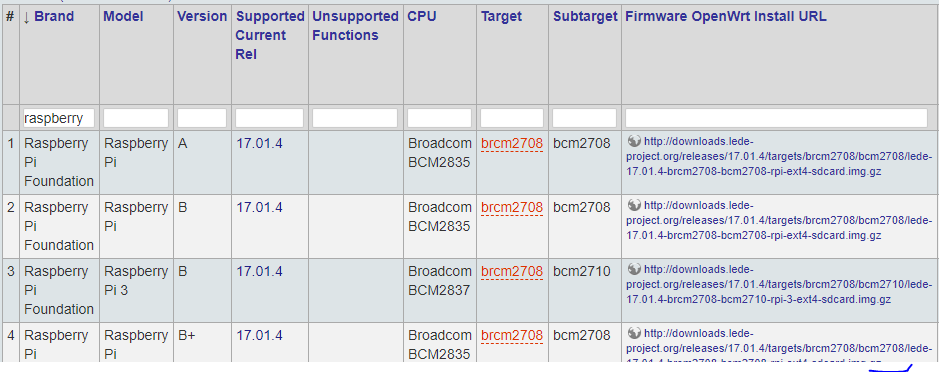
is there any way to install lede?
so lede 17.0.1.4 is not stable ??
so i just use Chaos Calmer 15.05??
The Raspberry Pi Zero W is the only snapshot firmware in the Raspberry Pi list.
Did you build the firmware yourself, or did you download it from the Table of Hardware?
i download it from the table of hardware
wget error 8 is a server side error.
See if you can get to one of the package URL's using a browser.
in same network my notebook (windows) can download package using URL
If that's the case, for now, download WinSCP and use it to move the packages from Windows to the RPi.
ho..... then if i moved package then what should i do ?? extract package and ...umm give me search word
now here's one more problem
ftp is not installed 
Install it, or use https to download through the browser.
As mentioned above, download and use WinSCP to transfer .ipk files to the RPi...
https://winscp.net/eng/download.php
Did you make any changes to your opkg.conf file?
ftp install still need opkg?
as i known winscp is ftp client
so in LEDE running ftp server right?
nop there is no change my opkg.conf file
No. You're not listening...
Download the packages you want using your browser.
Use WinSCP to transfer the .ipk files from Windows to the router.
SSH in to the router and run opkg install packagename.ipk
i can't uderstand
"Use WinSCP to transfer the .ipk files from Windows to the router"
in my notebook install winscp and connect to LEDE(router) right?
but how can i connect to LEDE ? in LEDE there is no ftp server
not connect ftp? use webDev?