[Solved] No luck with DSA VLANS on Cudy WR3000

Good morning, I'm trying to configure VLANs on a Cudy WR3000 router with OpenWRT using DSA, but I'm having no luck.

The goal is to connect this router to create a wireless access point with a guest network that uses VLAN 1005 as its interface.

Another "private" wireless network uses VLAN 5.

Depending on the wireless network and the VLAN being accessed, a Layer 2 switch assigns one IP address or another via DHCP. This is already configured on other routers and access points without issue.

I've performed the process several times on other access points using the old switch method without any problems.

Now I'm trying to do it using DSA and I'm not having any luck.

The procedure I'm following is:

From a clean OpenWRT installation:

1 - Access Network Interfaces.

2 - Select the Devices tab.

3 - Select Configure on br-lan.

4 - I select the Bridge VLAN Filtering tab.

5 - I check the "Enable VLAN Filtering" box.

6 - I add VLAN interfaces 5 and 1005, assigning Tagged to each port.

7 - After saving and applying, I lose connection and the interface appears to be down.

I've tried various methods, including creating a new bridge device and adding all the ports and VLANs. No luck.

I would appreciate any help you can provide.

Did you rename the interfaces also (e.g., br-lan.5 and br-lan.1005) in the same steps before saving and applying?

1 Like

No i didnt. Why i need rename them?

Because of this:

Because you setup VLANs - and you're loosing connection when you don't configure the interface for the VLAN. :wink:

  • Step 3b - Rename private network to br-lan.5
  • Step 3c - Rename guest network to br-lan.1005
  • Step 3d - Do the same for any other network interfaces

Yes, i have already that br-lan.5 and br-lan.1005, are the vlanq devices correct?

Please provide the output of:

cat /etc/config/network

Is it working now?

No isnt, cant provide after apply changes because i completly lose connection with the device and config rolledback.
But im go to try send the config and previus saved changes so you can check them.

OK, then something is wrong. I assume you are connected via LAN, have you assigned a VLAN to this network (and rename it) as well?

OK, but not sure how helpful they'll be.

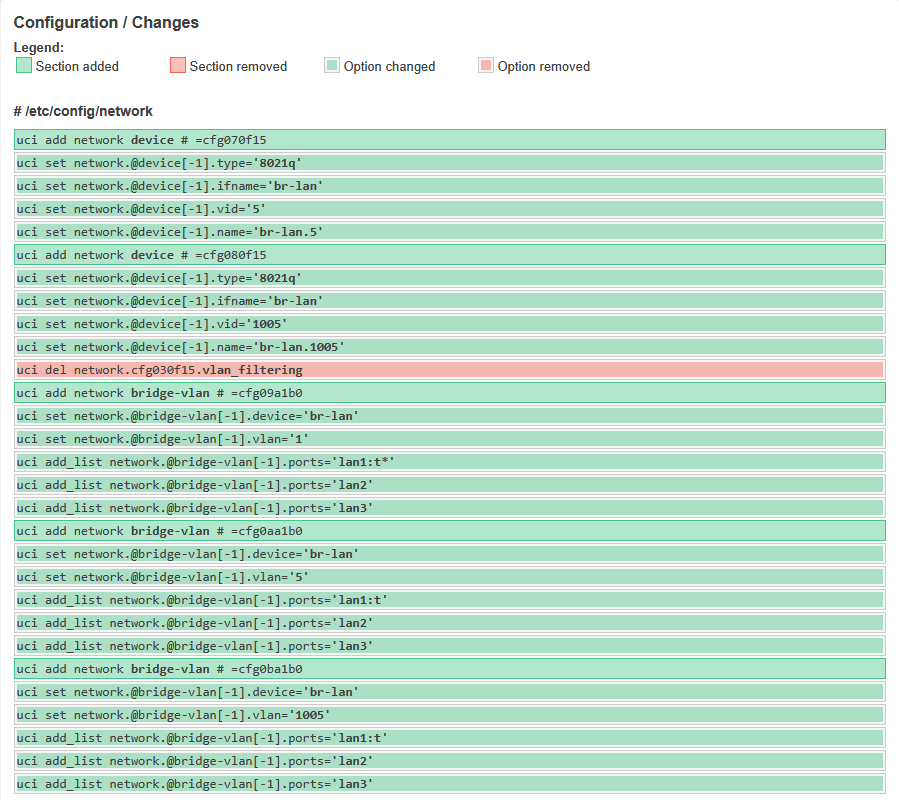
There are the UCI Commands all togather.

I dont know why the red section i didnt uncheck vlan filtering.

  • That's difficult to follow (and not what was requested), but I understand you cannot save/apply unless it's OK.
  • Did you answer my inquiry?

What interface are you connected to - and did you rename it and create a VLAN for it?

:spiral_notepad: (I see a VLAN 1 listed, but don't see br-lan.1)

Sorry, yes im connected throw LAN, connection are this.

Router:

Lan port 1 connected to switch L2.
The VLAN are already on the network.

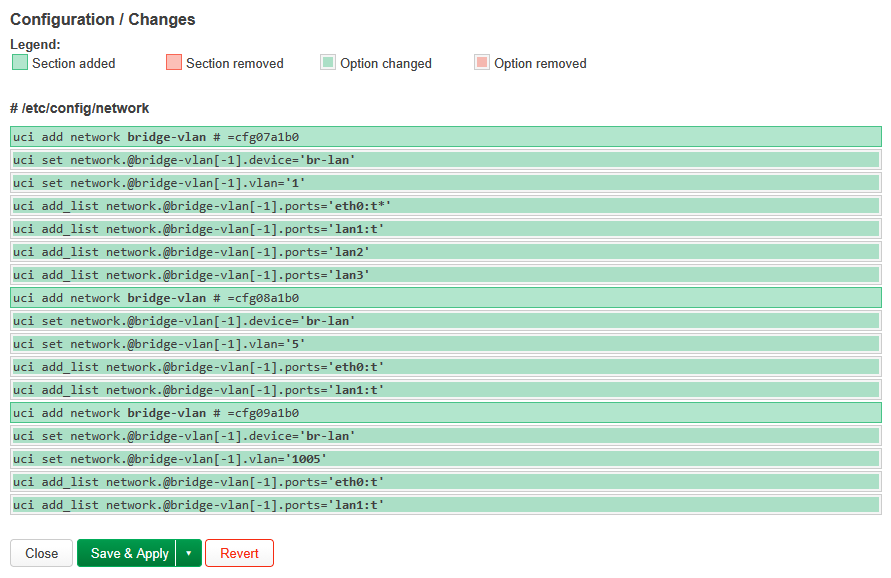
Im go to send you step by step what im doing:

Completed UCI commands looks like that.

A port can only be untagged in one VLAN. The port you are connecting the administration PC to should be untagged in VLAN 1 and off in all the others. Then change the lan Interface's Device to br-lan.1 and finally commit the changes.
You can and should set up VLAN 1 fully before creating additional VLANs.

1 Like

Start by doing this:

  1. Rename br-lan to br-lan.1
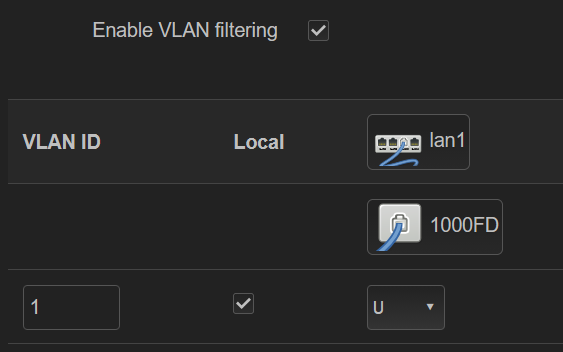
  2. Setup VLAN Filtering for VLAN ID 1 - make port lan1 untagged (U)
  3. Save and apply

Let us know if you maintain access to the web GUI.

As @mk24 noted - do not try to mark multiple VLANs as untagged on the same port.

Cant rename br-lan to br-lan1 is default.

I don't understand your response. Here's an example:

Rename to br-lan.1 here:

image

1 Like

Maybe i didnt understand correctly.

You want me to rename change device on β€œLANβ€œ interface from br-lan to br-lan.1

Ok understood.