PXE server setup by luci

Hi,

I have PXE server running on my RPI4 with openwrt for years. Now I am going to make changes to it so it can work with UEFI machine. I placed three folders under tftp root folder /opt/pxe/.

i.e. /opt/pxe/bios/ for BIOS boot

/opt/pxe/efi32/ for uefi 32 boot

/opt/pxe/efi64/ for uefi 64 boot.

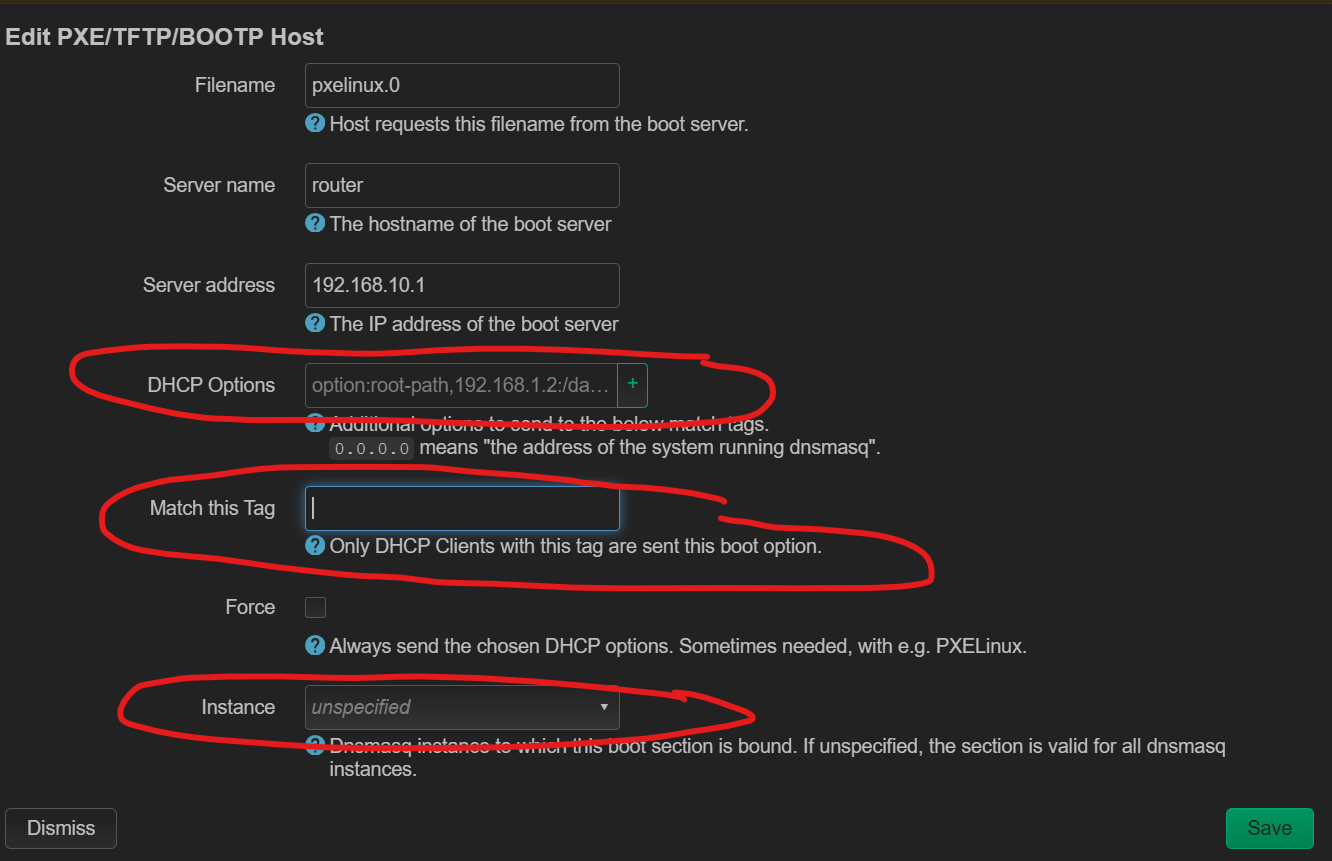
I saw some posts by editing dhcp or dnsmasq.conf, but how about using the Luci? How to fill in those fields for each type of host to make pxe to work?

Realistically efi32 machines are not made for a decade.

boot program is in different options bios vs efi

and tftp totally does not dig concept of directories.

how about upgrading to a current stable OpenWrt version, by last week at latest?

I manually added the following code to /etc/config/dhcp:

config match
	option networkid 'bios'
	option match '60,PXEClient:Arch:00000'

config match
	option networkid 'efi32'
	option match '60,PXEClient:Arch:00006'

config match
	option networkid 'efi64'
	option match '60,PXEClient:Arch:00007'

config match
	option networkid 'efi64'
	option match '60,PXEClient:Arch:00009'

config boot
	option filename 'tag:bios,ipxe.pxe'
	option serveraddress '192.168.10.1'
	option servername 'pi4'

config boot
	option filename 'tag:efi32,ipxe.efi'
	option serveraddress '192.168.10.1'
	option servername 'pi4'

config boot
	option filename 'tag:efi64,ipxe.efi'
	option serveraddress '192.168.10.1'
	option servername 'pi4'


It works well. However, Luci shows like this:

It seems Luci is not fully functional. Supposedly Column Filename should just show the filename e.g. ipxe.pxe and column “Match this tag” should show “tag:bios” or “bios". I am using 24.10.1.