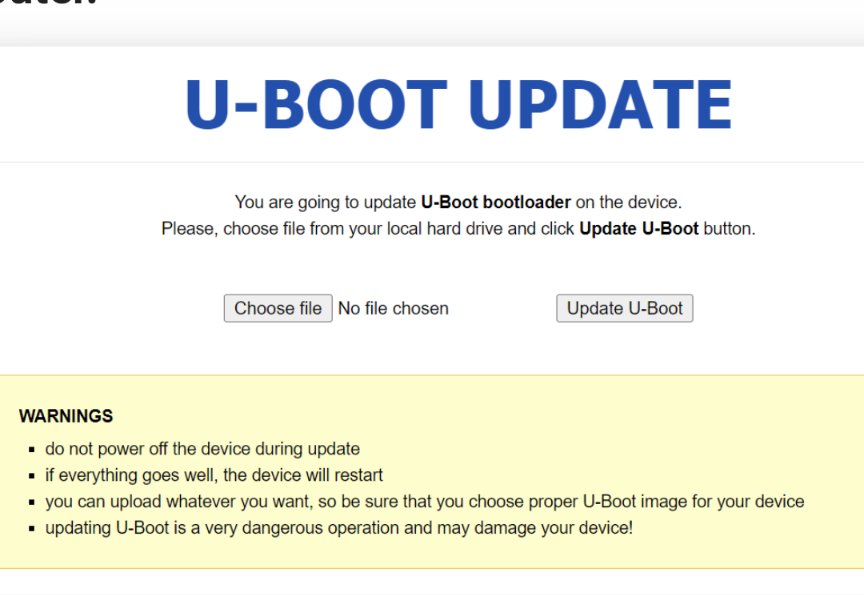
MT6000 uboot update instructions

What are the exact instructions to replace the original uboot with the webui with the updated one from https://downloads.openwrt.org/releases/24.10.5/targets/mediatek/filogic/

This device is running openwrt 24.10.5 perfectly but:

cat /proc/mtd

comes empty.

Seeing this is a EMMC device, what is the correct sequence of events I need to perform to update.

cat /proc/partitions 
major minor  #blocks  name

   7        0    7583104 loop0
 179        0    7634944 mmcblk0
 179        1        512 mmcblk0p1
 179        2       2048 mmcblk0p2
 179        3       2048 mmcblk0p3
 179        4       2048 mmcblk0p4
 179        5       2048 mmcblk0p5
 179        6      32768 mmcblk0p6
 179        7    7589376 mmcblk0p7
 179        8       4096 mmcblk0boot0
 179       16       4096 mmcblk0boot1

you realize the one from openwrt doesn't contain any webUI, and why are you replacing it ?

You mean that :slight_smile:

That's fine, I am ok with tftp as a recovery method from the old WRT54G days.

if a uboot update goes wrong, tftp will do you absolutely no good. It'll take a jtag adventure at best, but more then likely the device will become a permanent paper weight... read the last warning from the image presented...

in theory mtk_uartboot should still work, unless gl.inet locked it down, unlikely though.

no idea why OP wants to do this in the 1st place.

not for the 2 units i have sitting holding my papers down ...

I concur ... seems like a very unnecessary risk for no reward.

and that's why I am asking for the exact steps, I am worried about bricking it of course and I have a MT3000 on standby for that.

we don't have any, AFAIK, since no one considered doing it...

tbh, I don't see the point.

purely scientific basically, itching to break something :smiley:

The reason your eMMC is not showing up in/proc/mtd is that eMMC devices are not treated as Memory Technology Devices (MTD) in Linux, but rather as block devices.

1 Like

in that case dd if=/dev/zero of=/dev/mmcblk0p?.

hammers work great for that ...

... or 240/110V via the 12V DC barrel plug.

yah that too ... only its a waste of electricity and only a fraction of the fun :stuck_out_tongue:

bunch of jokers :rofl:

In general, you should have the option to be relaxed about the very likely chance to be able to debrick your device if anything unforeseeable happens: mtk_uartboot should help you

Read here or here or here

The third link also leads you to the sources to build the original Uboot from GL iNet.

The openwrt Uboot artifact as an output of the build process is rather lean and comes without WebUI. So, I would prefer the original from GL iNet.

You can either ask for the download like I did or, build your own, which is always the preferred method (for me).

Regarding mtk_uartboot: The MT6000 should behave very similar to the X3000 for which I have tested the active push of the uboot successfully as it was described here.

Cheers, Frood

1 Like

I had no idea you could use it with gl devices .. i lost a b3000 to a power failure mid upgrade, (new rule of thumb) don't update a device plugged into a smart power bar that may have a timer set to power off .. doh!!

I may try and unfiggle it using the info you offered.

Great info in any case !!

B3000 isn't Mediatek based though.
The bad flash shouldn't however have affected the boot loader, you should still be able to recover via boot loader.

The T-56 wiki page have a complete mtk_uartboot recovery guide to ubootmod.