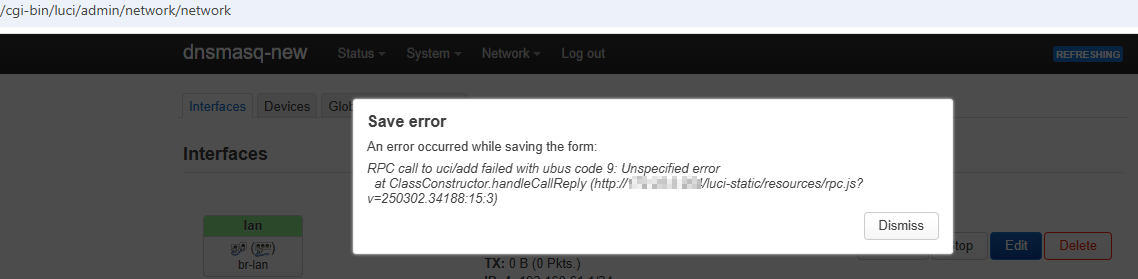
since working with many IoT devices in my network, I have configured a lease for every device to be able to access a specific device if I need to. This way I ended up of having over 50 leases (to my existing few leases) and noticed an issue in LuCI whenever configuring at least 52 leases.
Accessing the /cgi-bin/luci/admin/network/dhcp page directly gives 404:
It seems the bug or limitation is exactly at 51/52 leases. 51 may be configured but with 52 the issue occurs. I can remove one lease, then everything is fine, but as soon as I add the 52nd lease, the issue occurs again.
Also the "DHCP and DNS" menu item under "Network" disappears, if 52 leases are configured:
You are talking about the leases limit? This is not the issue.
With 52 leases I can not access these settings (see screenshots I posted before).
If I remove the 52nd lease (and reboot), I can access these settings again, but there I have already set the limit to 250:
The limit depends on your subnet and your dhcp configuration (and to a small extent flash/ RAM size). Static leases are best outside of the dynamic DHCP range.
I thought about that too, thats why I removed all leases in /etc/config/dhcp and added few by few until the issue happened. The 52nd seems to be the issue but I don't see why.
Because of your hint I checked again, removed the 52nd lease completely and added a new one. Works.
Now I compared line by line with the backup config and now I see a missing quote ' at the end of a line. Seems like this was the culprit
This does return only active leases, not all available/configured leases.
Thank you all for your quick replies and your help!
We haven't seen your other config files, but it's highly unusual to make your DHCP server active on the upstream network -- and even more so forcing it. I assume that you've disabled the DHCP server on the upstream, but even still, this is a bit of an uncommon situation.
That said, the address of the wwan interface must be outside the DHCP server pool -- that is, it must be somewhere in the .250 - .254 address range (assuming a /24). And it is also really important for there to be no other devices in the DHCP pool range (including the upstream router in this situation)... so those also must live in the .250 - .254 range.
You're absolutely right with your assumptions and yeah, it's uncommon.
The idea here is to have the DHCP server with the leases on a seperate host to not always configure all of them again whenever I migrate from one wifi router to another (like N to AC, then AC to AX, now wifi7 is around the corner..). So I disabled DHCP on the "upstream" device.
Thanks for the hint, I removed the force option, this was from previous attempts to find the root cause to the issue I had.