How to enable ipv6 in Openwrt

Hello,

My isp provides ipv6

I can see it when I connect to the isp router but when I connect to Openwrt, i only get ipv4 and ipv6 tests like https://www.test-ipv6.com/ fails

I have connected the lan from isp router to the wan of Openwrt router

Thank you

2 Likes

Doesn't your Openwrt router have a wan6 interface ?

Are you sure your ISP's router is providing ipv6 on it's LAN ?

Or saying you replace the ISP's router with the one running Openwrt?

2 Likes

It has

Yes isp do provide it

I think I found a way to make it work :


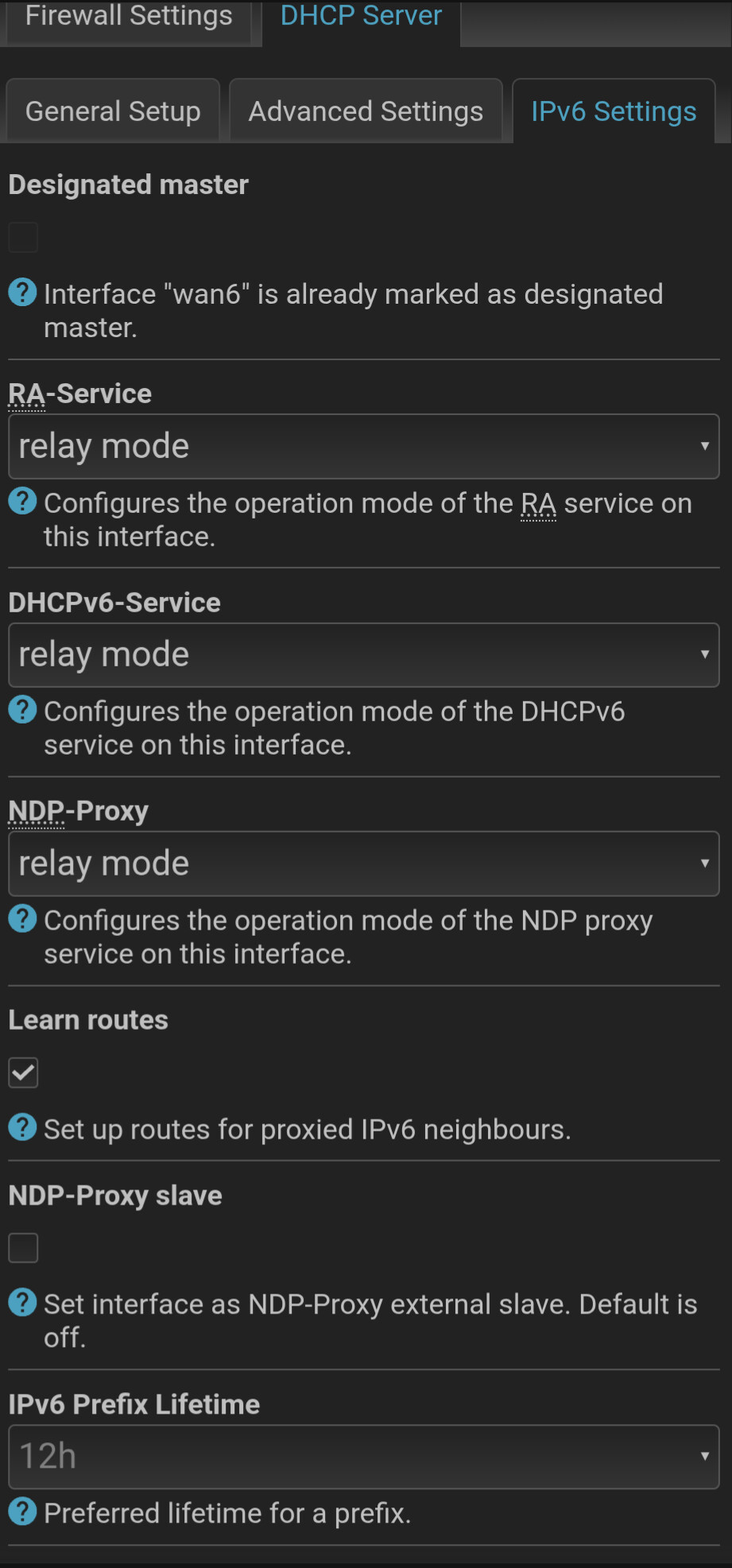
I had to change the settings to relay

Is this good? Will I get both ipv6 and ipv4?

Thanks

1 Like

Those settings are for your clients.

From a client, via ssh run logread -f, then unplug the WAN port cable, and connect it again.

Post the output generated, use the </> button when you do.
Mask any MACs, and public IPs.

2 Likes

I think it also depends on how big prefix you have from your ISP, and if the ISP's router can do prefix delegation.

Unfortunately some ISP for inconceivable reason assign only /64 prefix. If that's the case then prefix delegation won't work. This means your setup connected the lan from isp router to the wan of Openwrt would not work.

You may consider connecting OpenWrt directly without the ISP's router, if possible.
If that's not possible (e.g. it's DOCSIS (coax cable) router, fibre optic), you may try switching the ISP router to a "bridge mode", if the router supports that.

IMO the setup connected the lan from isp router to the wan of Openwrt is not best setup even if it worked, because it introduces yet another NAT on IPv4 which means that if you need port forwarding you would need to set in in two routers. It's really for best to completely replace ISP's router, or at least switch it to bridge mode. In my opinion.

wrt screenshots, as @frollic said it's for client, you do not want to set that wan6 interface, if anything you may want to set it up on lan interface (but I think RA/DHCPv6 should be enabled by default on lan).

Could you post (redacted) screenshot of you "interfaces" page (cgi-bin/luci/admin/network/network)?


Bridge mode is not available for this isp

I will share when I can, thank you

Who is your ISP?

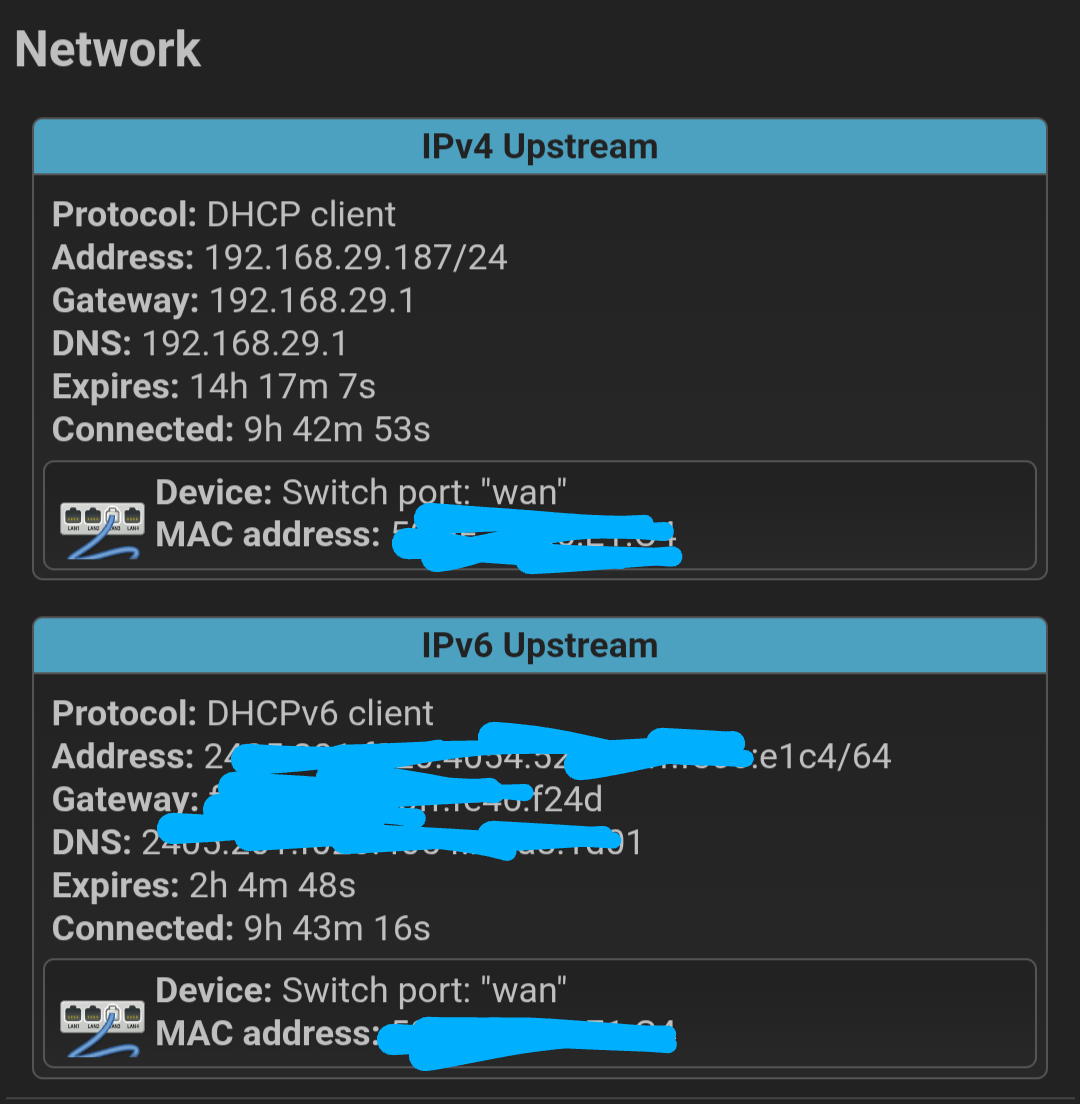
It looks like your wan6 only receive single IPv6 address and no prefix.

2 Likes

It's an isp in India called Jio Fiber

there should be also IPv6-PD: if working correctly

1 Like

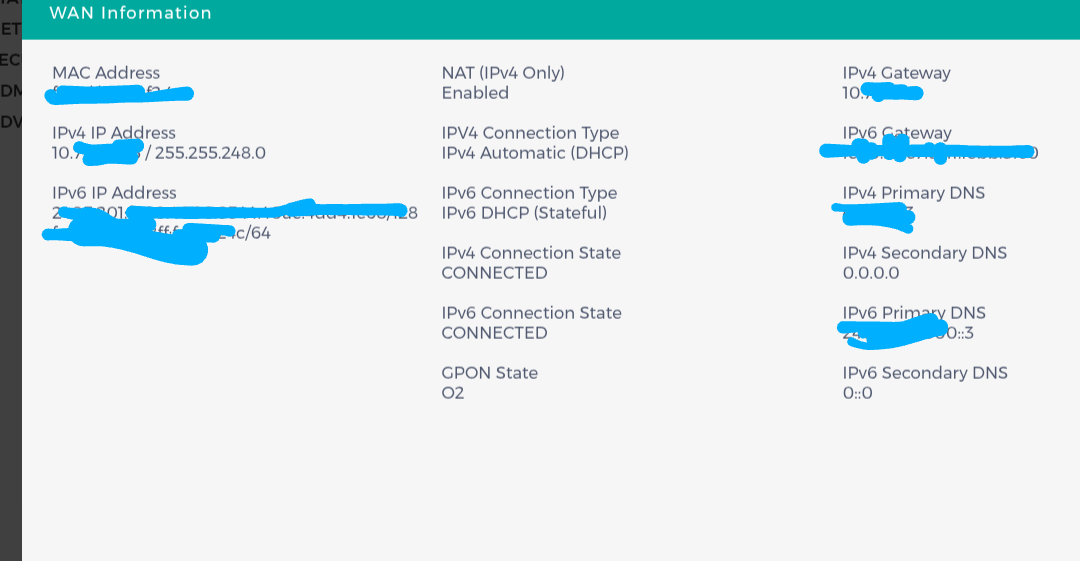
How big IPv6 prefix you got? Is it 64? Can you see it in ISP's router?
If your ISP provides only 64 prefix then your setup won't work.

IPv6 IP Address

xxxx:xxx:xxxx:xxxx:xxxx:xxxx:xxxx:xxxx/128

fexx::xxxx:xxxx:xxxx:xxxx/64

IPv6 Gateway
fexx::xxxx:xxxx:xxxx:xxxx

Sorry I cannot tell from this how long prefix you have.

So you cannot replace replace ISP's router, nor set it to "bridge mode"?

Which router did Jio provide as there's details of people rooting the old econet version to get bridge mode working.

Jcow414

There is a way to make it work with bridge but you need a device like

Jio typically assigns a /64 IPv6 prefix to home users, enabling dual-stack (IPv4 and IPv6) configurations.

If this is not what you mean, do tell me what exactly to look for or ask