When selecting the firmware, I selected v.3—the highest of the options—even though I needed 3.20. I received the file openwrt-24.10.4-ath79-generic-tplink_cpe210-v3-squashfs-factory.bin (for some reason, it's 210, not 510).
I access 192.168.0.254 through the web interface, and the current firmware is stock 2.3.2 Build 20250704 Rel. 66896 (0000). I select the new firmware, click "Upload," and after a few seconds, I'm asked: "Keep your settings or reset to factory settings?" I click "Save," and an error message appears: "Error opening file, try again."
Tell me, what's the matter?
What is the device region (make a print of full versions page and type upper line of label)
https://firmware-selector.openwrt.org/?version=24.10.4&target=ath79%2Fgeneric&id=tplink_cpe510-v3 provides CPE510 files, not 210.
if GUI flashing fails, use TFTP recovery - https://git.openwrt.org/?p=openwrt/openwrt.git;a=commit;h=cad4132e003cecc386d791d552ddba42c182c216.
Pharos is single platform with +/-1 difference in wifi adapters or network ports, just that untested devices are not in safeloader supportlist of OpenWrt.
So what is the exact device platform/version/region ?
Russia
I don't quite understand where to get the information you requested.
I downloaded the firmware from your link and also got an error.
I'll try TFTP
wrong language, dude.
The device has a native platform; nothing third-party has been installed. Version 3.20. Region: Russia.
https://www.tp-link.com/us/support/faq/46/ -> full line under upper barcode.
Also add first page with versions (you can paint over obvious serial numbers)
It is to construct the version line here https://github.com/openwrt/firmware-utils/blob/313f344d8436955b4c0baad595d450f5350908c6/src/tplink-safeloader.c#L203 to make firmware load via oem interface.
(210 is light version of 510)
there's https://git.openwrt.org/?p=openwrt/openwrt.git;a=commit;h=33ad0976063330321163ac9bf1fcc3cd81ae31e9
CPE510V3 is at line 479.
PITA is dozen region revisions thereof....
It is not possible to transfer settings from factory firmware to OpenWrt. Click "Reset" instead.
So, it turns out that we can be sure that the version 3 we receive here contains everything necessary for correct operation with a router version 3.20?
Then the only problem is that the web interface does not accept it for some unknown reason...
Unfortunately, this didn't help either.
We need to get safeloader string together. 3 v3.20 regions are there maybe you have other.

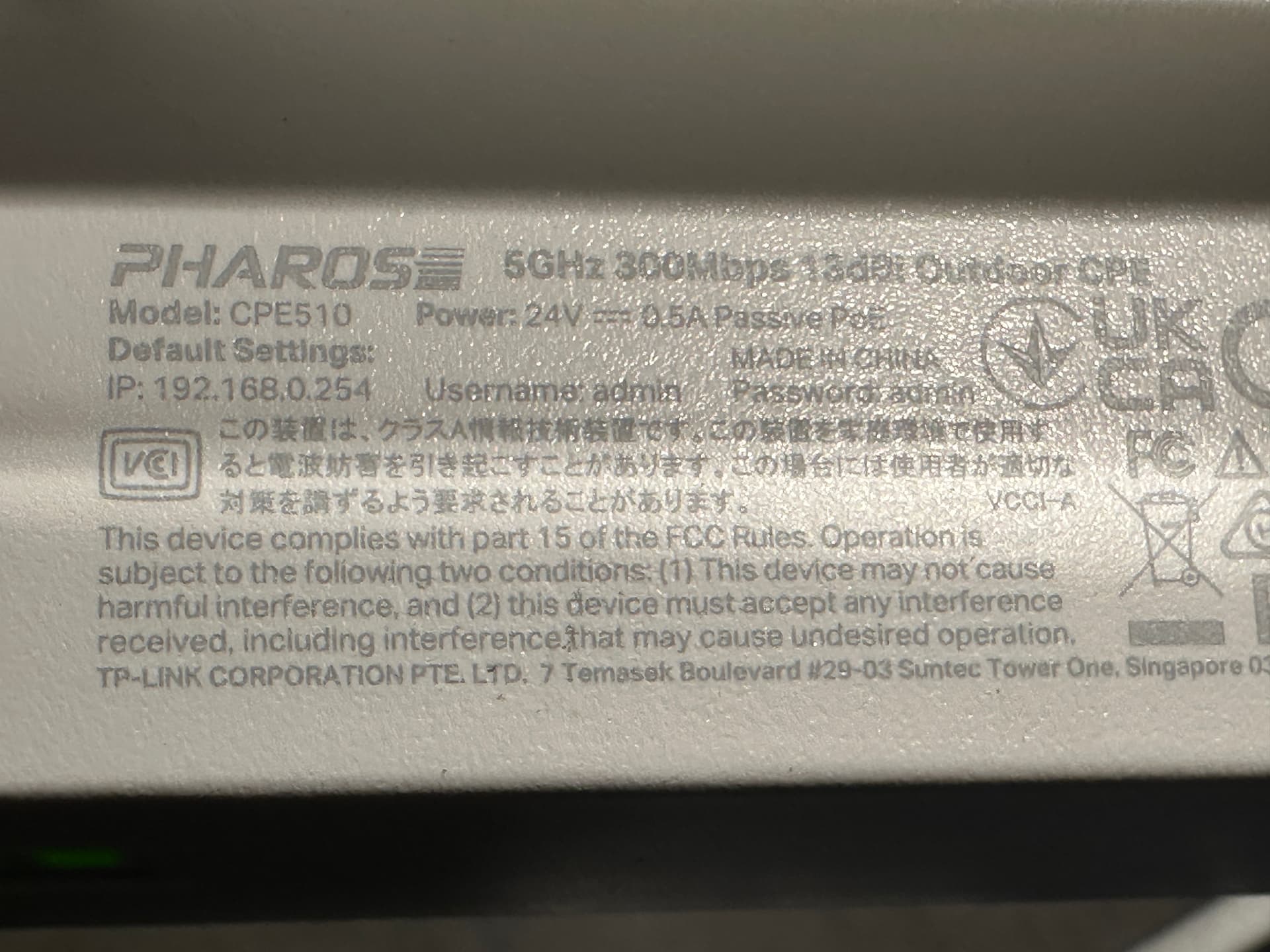
What do you require of me? Can I help in any way?
In safeloader seems supported for five years
https://github.com/openwrt/firmware-utils/blame/313f344d8436955b4c0baad595d450f5350908c6/src/tplink-safeloader.c#L497
try version 22 or 23 ?
Downgrade OEM if possible at all.