You just PUT the file to the IP address... the AP's tftp server loads it into RAM and then flashes it to the flash storage.
Sorry and just to confirm, I can PUT the openwrt image this way? Or do I need to go back to stock unifi firmware then onto openwrt again?
Referencing this.
OpenWrt cannot be flashed this way since the firmware must be signed. Any version of the official firmware should work though.
Try the openwrt factory image... worst case it won't be accepted. If that doesn't work, flash an official unifi image.
Ok, so I tried the openwrt image, no go didnt work.
So ill go back to stock unifi.
What does this mean for updating to openwrt again? What would the process be?
Thanks
I flashed the stock ubiquiti image, the LED is just solid white?
I"m lost on which device page you are obtaining images from because these two statements contradict each other.
Yea sorry this threads a bit messy.
I have both the AC LR and AC Pro, the AC Pro has been updated successfully, but the update failed and destroyed the AC LR.
I just reflashed stock Unifi firmware for the AC LR, and went through the installation process for flashing the openwrt firmware.
Using this image.
Solid white is normal for an unadopted ap with unifi firmware.
So the "back to stock" worked well enough for you to try the AC LR again in initramfs.. (Ram)?
This might be a cross reference to those that search as @tmomas mentioned.
Not the same exact error message, yet the same results can muster.
I deliberately set my PC clock days in past and then "Sync with browser", and tried to update via LuCi.
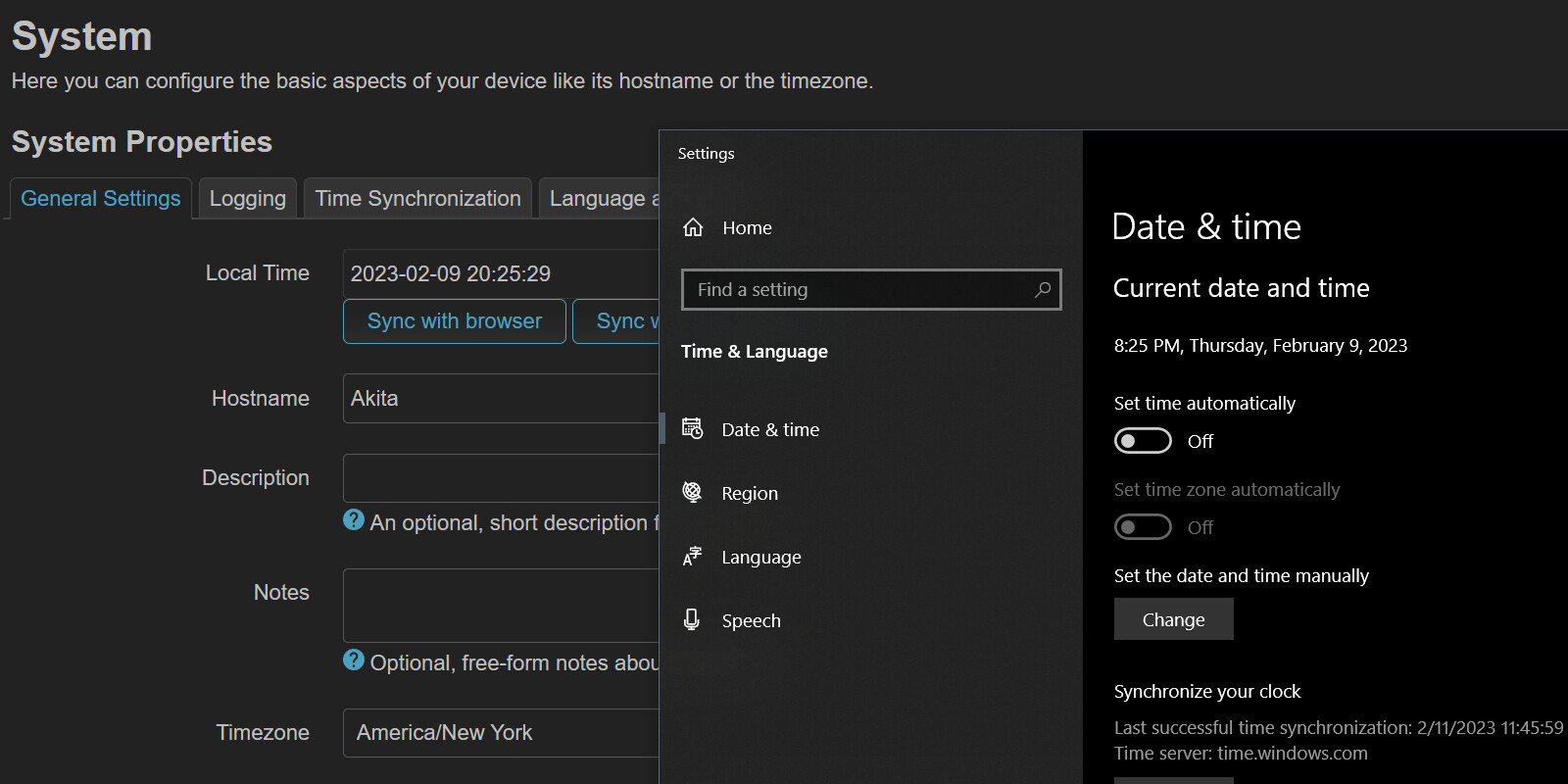
wget returned 4
Executing package manager
Downloading https://downloads.openwrt.org/releases/22.03.3/targets/ramips/mt7621/packages/Packages.gz
*** Failed to download the package list from https://downloads.openwrt.org/releases/22.03.3/targets/ramips/mt7621/packages/Packages.gz

Downloading https://downloads.openwrt.org/releases/22.03.3/packages/mipsel_24kc/base/Packages.gz
*** Failed to download the package list from https://downloads.openwrt.org/releases/22.03.3/packages/mipsel_24kc/base/Packages.gz

Downloading https://downloads.openwrt.org/releases/22.03.3/packages/mipsel_24kc/luci/Packages.gz
*** Failed to download the package list from https://downloads.openwrt.org/releases/22.03.3/packages/mipsel_24kc/luci/Packages.gz

Downloading https://downloads.openwrt.org/releases/22.03.3/packages/mipsel_24kc/packages/Packages.gz
*** Failed to download the package list from https://downloads.openwrt.org/releases/22.03.3/packages/mipsel_24kc/packages/Packages.gz

Downloading https://downloads.openwrt.org/releases/22.03.3/packages/mipsel_24kc/routing/Packages.gz
*** Failed to download the package list from https://downloads.openwrt.org/releases/22.03.3/packages/mipsel_24kc/routing/Packages.gz

Downloading https://downloads.openwrt.org/releases/22.03.3/packages/mipsel_24kc/telephony/Packages.gz
*** Failed to download the package list from https://downloads.openwrt.org/releases/22.03.3/packages/mipsel_24kc/telephony/Packages.gz
Errors
Collected errors:
 * opkg_download: Failed to download https://downloads.openwrt.org/releases/22.03.3/targets/ramips/mt7621/packages/Packages.gz, wget returned 4.
 * opkg_download: Check your network settings and connectivity.

 * opkg_download: Failed to download https://downloads.openwrt.org/releases/22.03.3/packages/mipsel_24kc/base/Packages.gz, wget returned 4.
 * opkg_download: Check your network settings and connectivity.

 * opkg_download: Failed to download https://downloads.openwrt.org/releases/22.03.3/packages/mipsel_24kc/luci/Packages.gz, wget returned 4.
 * opkg_download: Check your network settings and connectivity.

 * opkg_download: Failed to download https://downloads.openwrt.org/releases/22.03.3/packages/mipsel_24kc/packages/Packages.gz, wget returned 4.
 * opkg_download: Check your network settings and connectivity.

 * opkg_download: Failed to download https://downloads.openwrt.org/releases/22.03.3/packages/mipsel_24kc/routing/Packages.gz, wget returned 4.
 * opkg_download: Check your network settings and connectivity.

 * opkg_download: Failed to download https://downloads.openwrt.org/releases/22.03.3/packages/mipsel_24kc/telephony/Packages.gz, wget returned 4.
 * opkg_download: Check your network settings and connectivity.
So make sure the Router's time is correct as a troubleshooting step.
Ok, update suceeded now and everything is backup and running with the backup restored.
I ended up flashing the sysupgrade image and that worked, which adds to my confusion about the difference between sysupgrade and non sysupgrade images.
I will try the time and date thing and report back!
When you got you AC LR back on stock, then flashed the "initramfs", your next logical step as @psherman pointed out is going to "sysupgrade"
I didnt flash the initramfs, just the sysupgrade image and that worked.
According to your post, that is the image in your next step.
Regardless. psherman knows Ubiquiti like the back of his hand and can tell us if this/these devices come with a second partition to boot from.
Hopefull!! Your issue is resolved from all the prior posting and you can cook us some dinner now. I'll like my steak med/rare.
No, there is no second partition. But the bootloader has the tftp recovery mode which is the saving grace and makes it harder to fully brick the unit.
I'll have my steak rare, but I'm fine with a bowl of poke or some sushi 
Do you have a list of items your are pulling from backup into the freshly installed sysupgade? And please let me know if I'm stomping on DM instructions you may be receiving..
I have a pep pizza to eat
Going all the way back to the first post, error 5 means that the SSL root certificates in the installed OpenWrt are outdated, so a wget from a https site to the router will not work.
The simplest thing to do there is upgrade the whole image by downloading a new sysupgrade image on your PC, then transfer it to the router and run the sysupgrade process.
Is the latest problem still wget returned 5, or a different error?
Same error.
OpenWrt 22.03.3 r20028-43d71ad93e / LuCI openwrt-22.03 branch git-22.361.69894-438c598
Collected errors:
 * opkg_download: Failed to download https://downloads.openwrt.org/releases/22.03.3/targets/ath79/generic/packages/Packages.gz, wget returned 5.
 * opkg_download: Failed to download https://downloads.openwrt.org/releases/22.03.3/packages/mips_24kc/base/Packages.gz, wget returned 5.
 * opkg_download: Failed to download https://downloads.openwrt.org/releases/22.03.3/packages/mips_24kc/luci/Packages.gz, wget returned 5.
 * opkg_download: Failed to download https://downloads.openwrt.org/releases/22.03.3/packages/mips_24kc/packages/Packages.gz, wget returned 5.
 * opkg_download: Failed to download https://downloads.openwrt.org/releases/22.03.3/packages/mips_24kc/routing/Packages.gz, wget returned 5.
 * opkg_download: Failed to download https://downloads.openwrt.org/releases/22.03.3/packages/mips_24kc/telephony/Packages.gz, wget returned 5.
Do these error occur before adding your backup? In other words, if you installed the current sysupgrade and immediately invoked a opkg update what occurs?
Well, I did not try.
However, the Unifi Pro I have not installed any 3rd party packages, and its the same.