I've also tried to find some deatil documenation as how to use LUCI interface to do what you said in the DHCP/DNS page. But I wasn't able to get it to work:

I've also tried the information here:
https://openwrt.org/docs/guide-user/base-system/dhcp_configuration
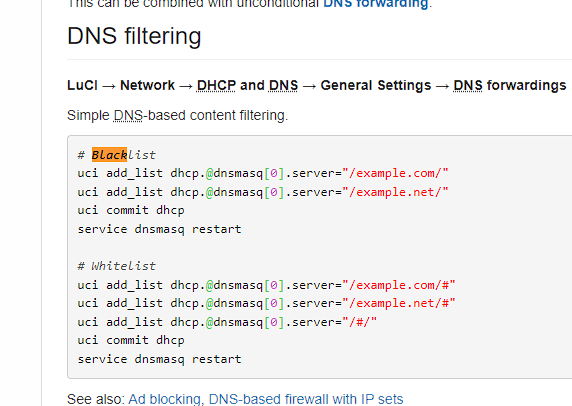
Which again, it didn't seem to work.
Thus I found the only solution I was able to get to work is to do the following:
First edit /etc/dnsmasq.conf:
Add line (this means to not resolve any DNS)
no-resolv
And then to white list domain add: (this means to use 127.0.0.1 (local itself) as the dns server for domain yahoo.com )
server=/yahoo.com/127.0.0.1
And to avoid user use their own DNS server in the device DNS (when they not use get dns server automatically, such as they program the dns server themselves to use 8.8.8.8)
uci -q delete firewall.dns_int
uci set firewall.dns_int="redirect"
uci set firewall.dns_int.name="Intercept-DNS"
uci set firewall.dns_int.src="lan"
uci set firewall.dns_int.src_dport="53"
uci set firewall.dns_int.proto="tcp udp"
uci set firewall.dns_int.family="any"
uci set firewall.dns_int.target="DNAT"
uci commit firewall
service firewall restart
And that seems to work good where it will also block people trying to do their own DNS (such as 8.8.8.8) to bypass the system.
So I was going to do a custom page where I can modify the dnsmasq.conf file and send these commands via the LUCI GUI.