I recommend using the current Image and rootfs-squashfs releases. At the time of this writing that would be openwrt-22.03.5-armvirt-64-Image and openwrt-22.03.5-armvirt-64-rootfs-squashfs.img.gz.
The rootfs image needs to be decompressed (gunzip). UTM will convert the raw .img file to a .qcow2 itself.
You will need to attach two "Drives", one for the kernel and one for the rootfs:
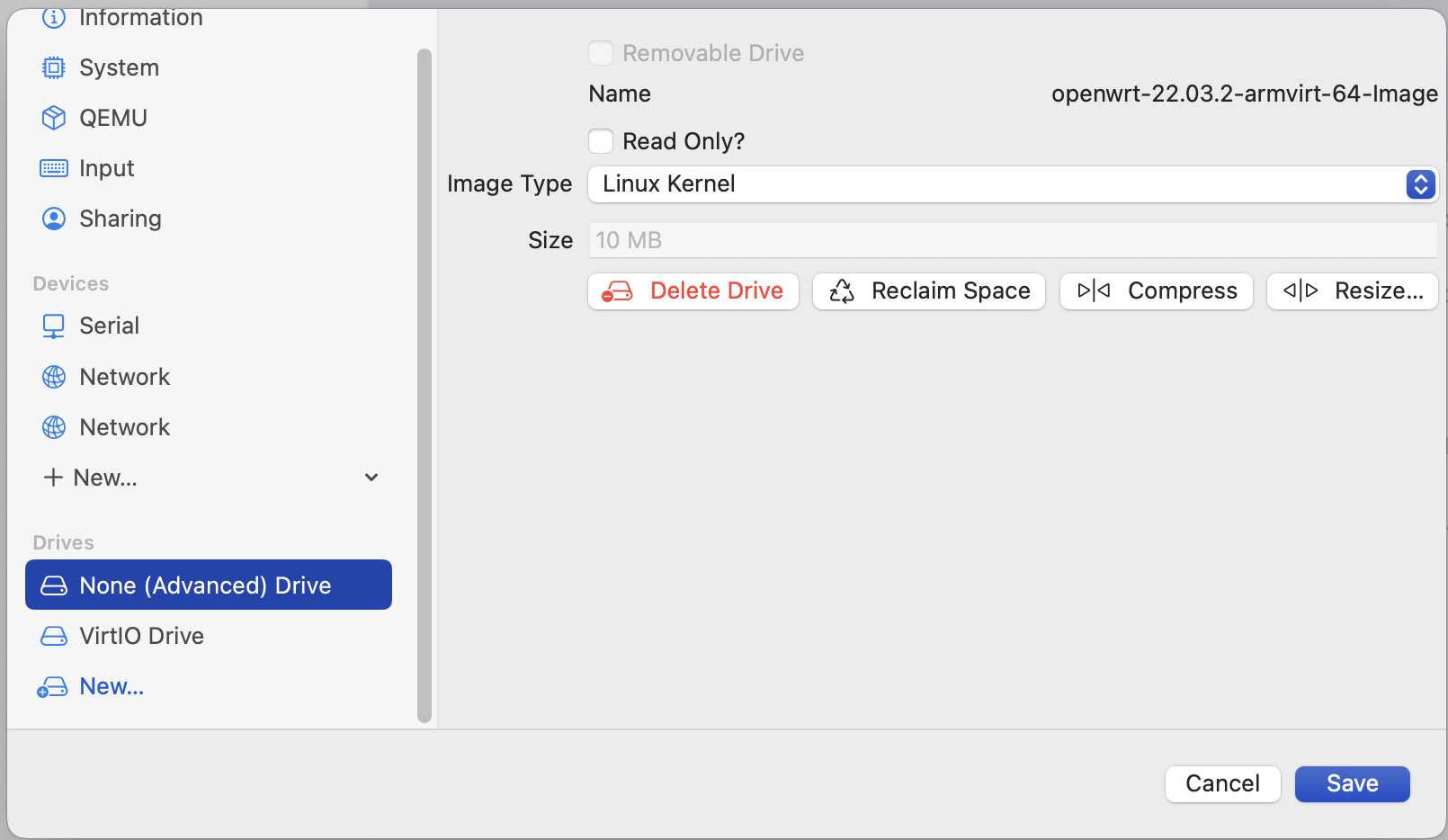
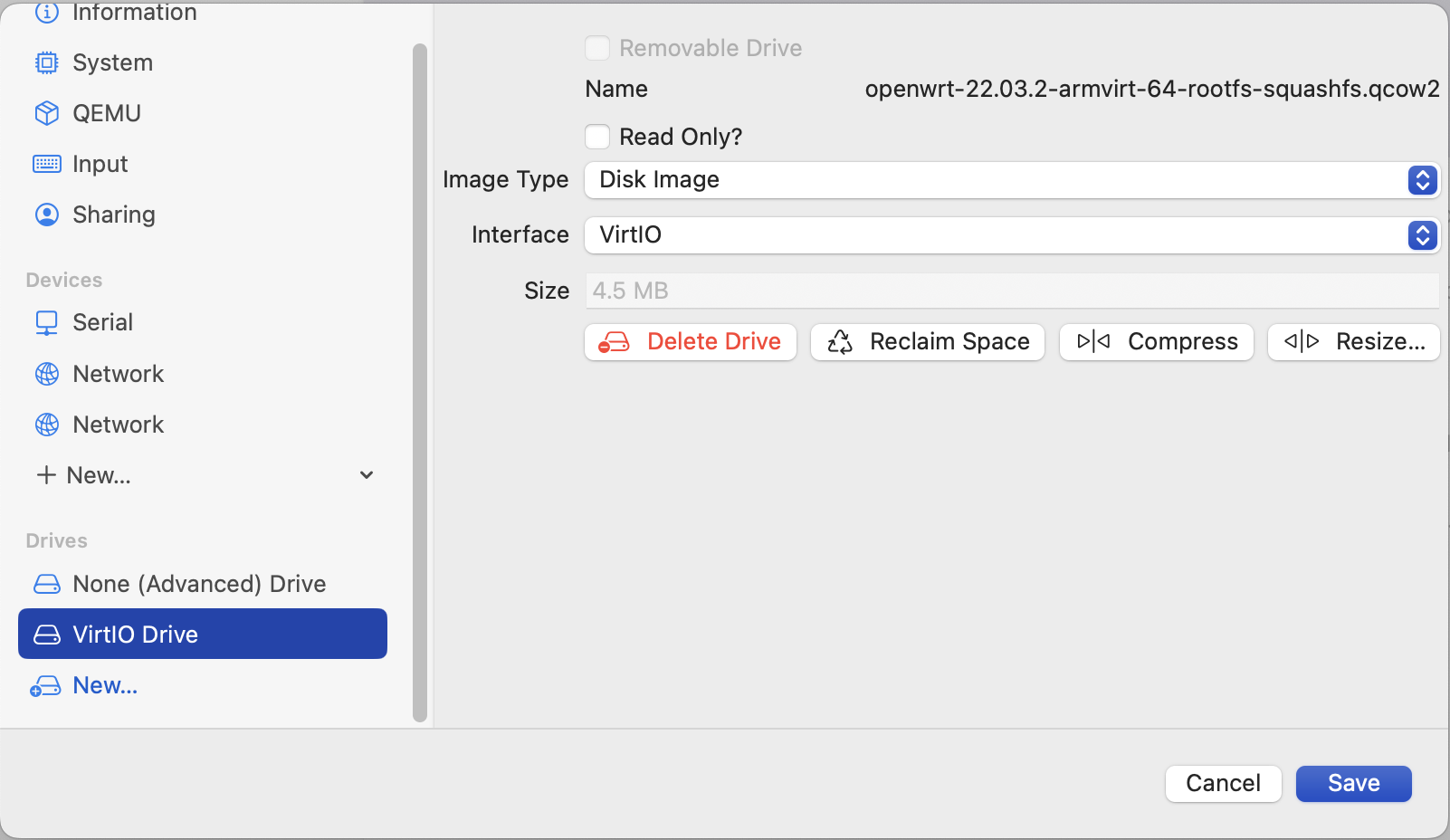
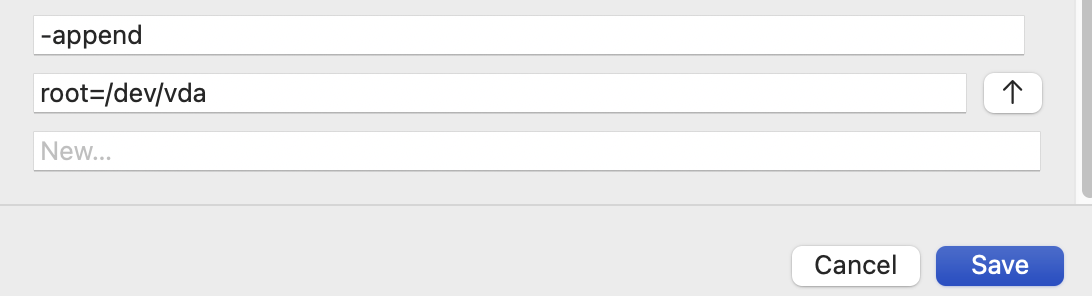
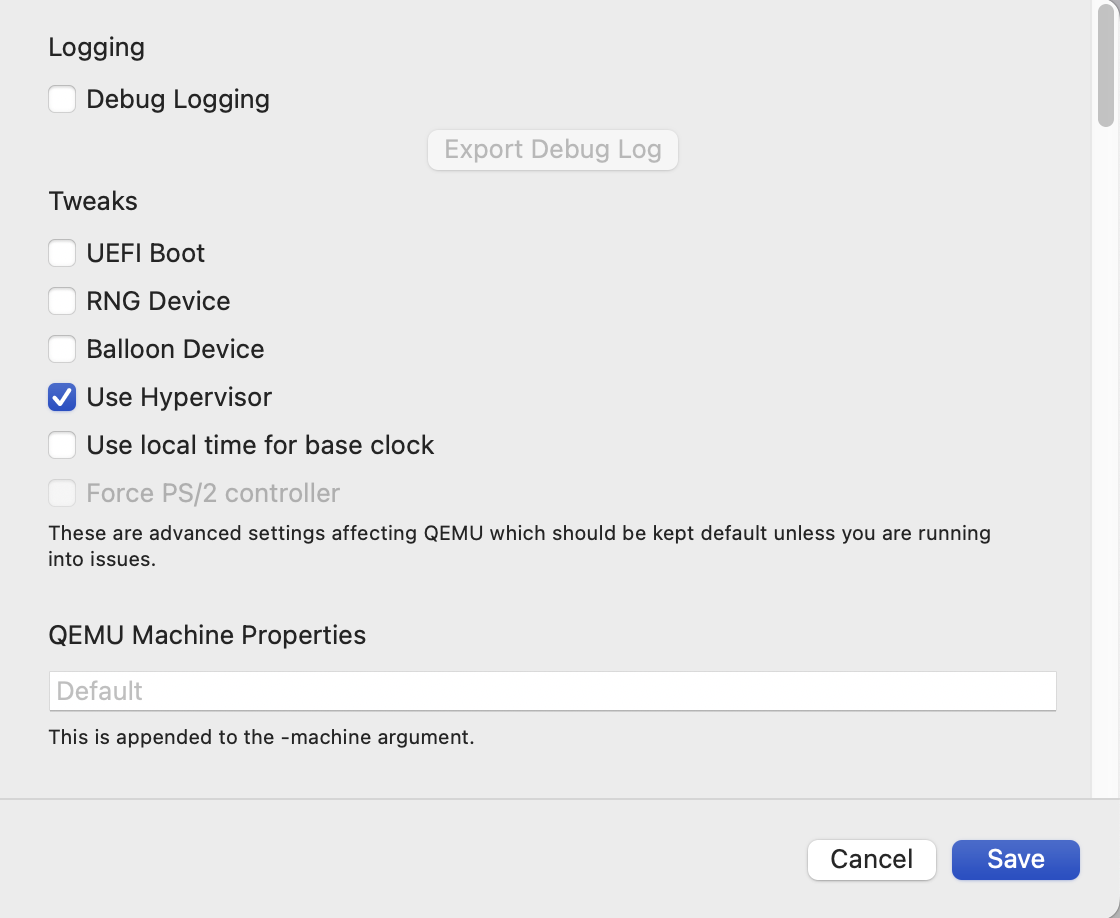
In order for the kernel to locate the rootfs, the QEMU command line needs “-append root=/dev/vda” which should be specified as two separate lines under the QEMU section of the virtual machine configuration in UTM. (scroll down in that window to see this)
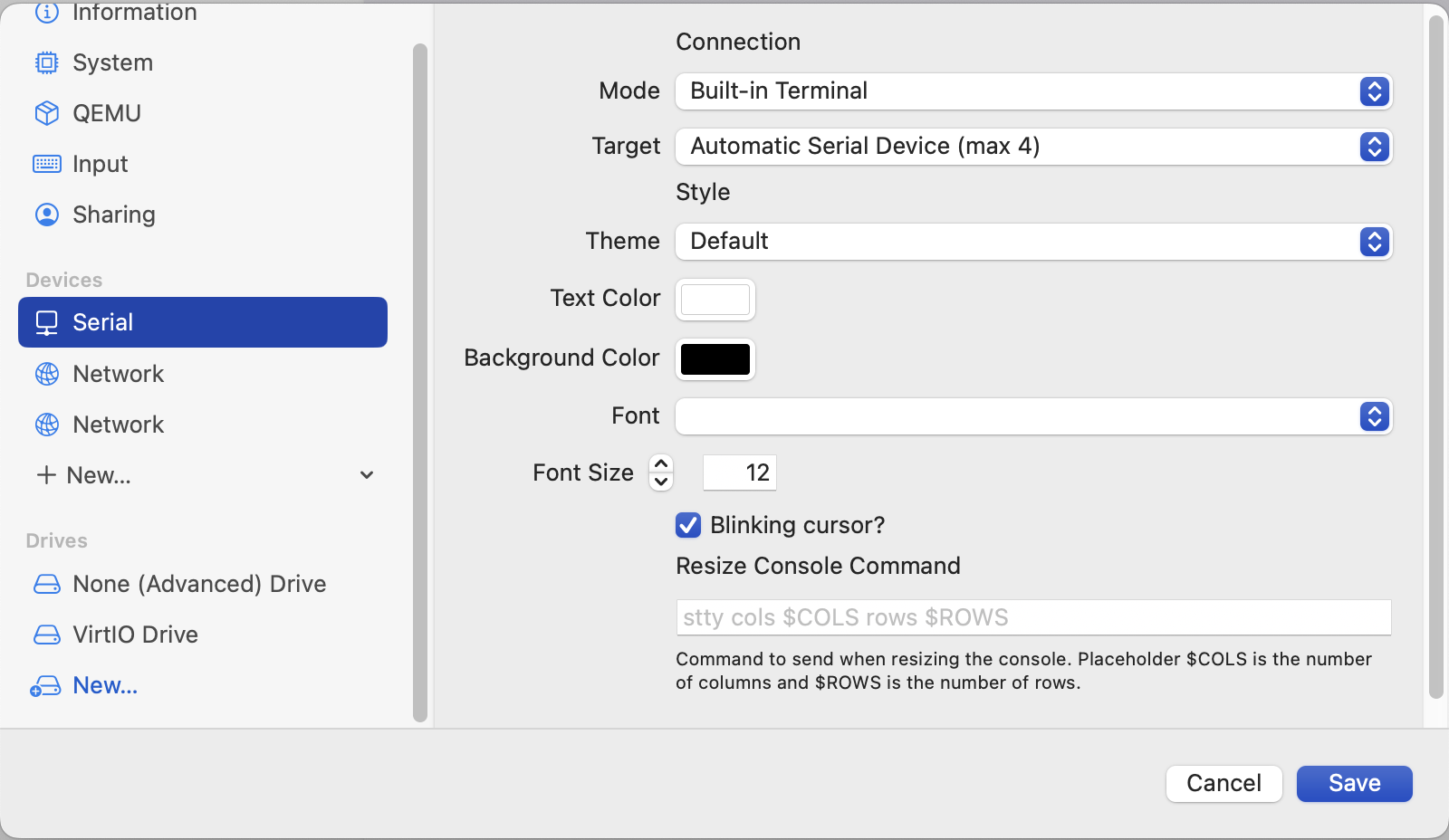
For output, serial console is what worked for me. I removed the unused display device to reduce any confusion and added a new “Serial” device. The UI for this has changed from prior versions of UTM, it used to be a simple checkbox but in recent versions it's a device proper.
Not strictly necessary but as you can see, I added additional Network devices as well. I'm using virtio-net-pci for those.
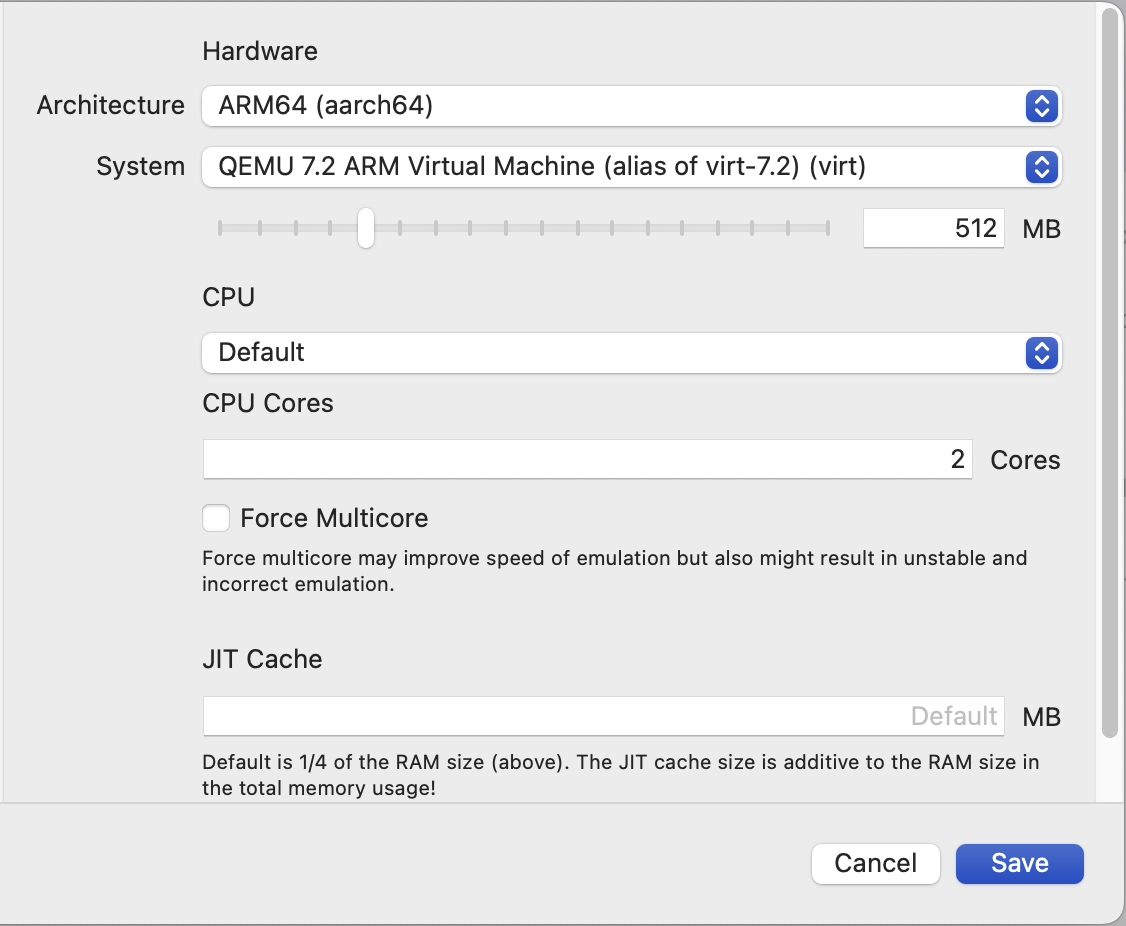
ARM64, QEMU 7.2 ARM Virtual Machine is the correct profile. UTM will create a copy of ("alias of ...") it after you modify any settings iirc.
Here are screenshots of the "System" and the top of my "QEMU" sections. My QEMU command is default except for the kernel command line append I mentioned above:
Thank you! No problem.
Let me know if you have any other questions.