4x 5dBi external antennae, 300Mbps on 2.4GHz and 867Mbps on 5GHz.
Glad to know there is progress on the matter. To be sure I follow: do you already have a functional target for this, or is the one giving you kernel panic?
I don't have a spare UART cable to inspect the boot logs when the panic happens. This is at best a weekend side project, and this is my first time taking a stab at openwrt internals. I'll try to chip away at it today and tomorrow, my hope is that I am doing something silly that someone with more familiarity can point out.
It looks like you are modifying the Cudy dts. I would start with a dts from ^master git pull for several reasons:
If you get something and want to commit your work, they only accept new devices to master
There have been changes in naming devices in the *.dts
The main things from Cudy's dts are the partition start and erase size, particularly u-boot, u-boot-env and the firmware.
You can peruse the list of mt7621_*.dts for a similar dts (16MB spi flash, MT7612EN, single usb3 port, u-boot + u-boot-env, etc) in one tab and the hardware database in a second. Put the Cudy partition scheme into the closest ^master *dts you can find. You can also insert Cudy's gpio pins, names and led color.
After you pick a ^master dts as a template, go back and look at the commits for that device to see what other edits may be needed as far as board.d and image/mt7621.mk entries.
One question i have for this.... after loading the image as i stated earlier, the kernel log shows 1 usb3 port and 1 usb2 port. physically there is only 1 usb3 port on the back of this device. I am wondering if possibly there might be a header inside on the board for the usb2 port that may be capable of being used. If so i would like to use the usb2 port for tethering my phone and perhaps figure out a way of hacking some type of usb3 SSD inside the device to give it some storage space for nas application.
You cann't test or are afraid to test image from unknown source, can you?
My mom taught me that it is impolite to answer a question with a question so I've used official released 19.07.3 imagebuilder to make this firmware.
I don't have the router yet because I would like to see it officially supported before buying it. My intention with my question was just to know if that was a official release or not, but I realized later that you compiled it by your own since I didn't find anything regarding this unit on the develop branch of openwrt.
I tried to flash the image as an upgrade from Cudy's own 19.07 build. It told me it wasn't compatible, and if I tried to force upgrade, it got stuck in a boot-loop.
Trying to upgrade from Cudy's 18.06 build, it told me that it's not a supported format. Stock firmware did much the same. TFTP flashing seemed to reject it as well, falling back to its previous firmware.
Unfortunately I don't have any debugging tools to see why it would boot-loop.
Thanks for testing.
I've corrected flash partittioning and updated image.
Now archive contain corrected for 19.07.3 version dts-file too.
Can you check again?
I tried the new firmware image you released, and it doesn't seem to work either. It gave no error when trying to flash it this time. Instead of boot-looping, it looks like it hangs during startup? Here's a video of the lights. The SYS light blinks for a while, then stops. The computer never gets a DHCP address. Is there any way to debug it further without a serial console?
Just to make sure I have it right, this is how I'm flashing the firmware:
Starting with factory firmware, I flash Cudy's own 19.07 build (which fills the entire flash, they added too much) via the web interface. Then, once that is running, I flashed your new build in LuCI, telling it not to keep any settings.
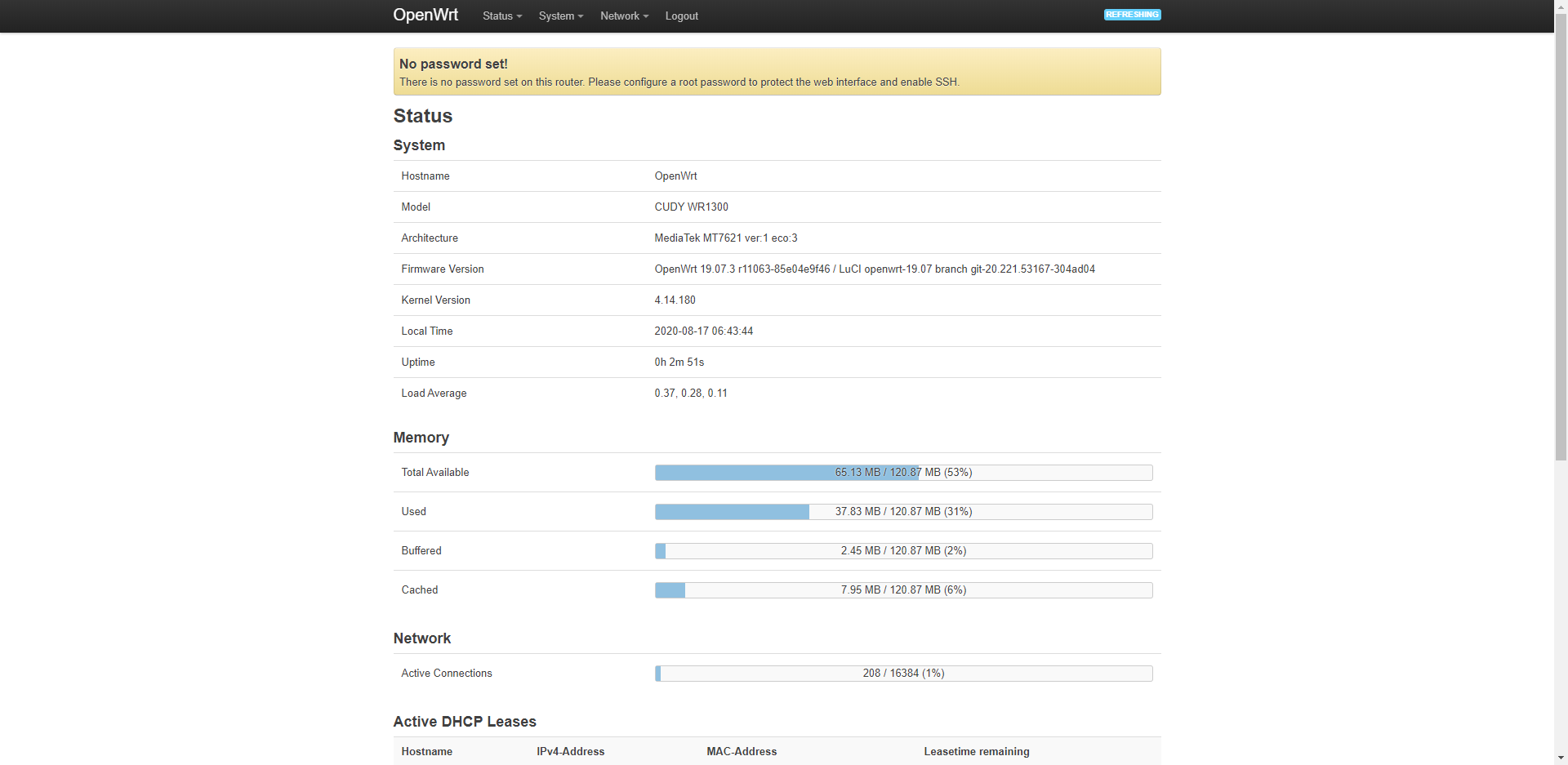
It's good! Firmware start correctly. But (sorry, my fault) there is wrong internal switch configuration.
I've corrected switch config and enabled wifi by default (SSID "OpenWrt w/o password in both bands).
Yes. It's the simplest way of loading new openwrt firmware.
 so I've used official released 19.07.3 imagebuilder to make this firmware.