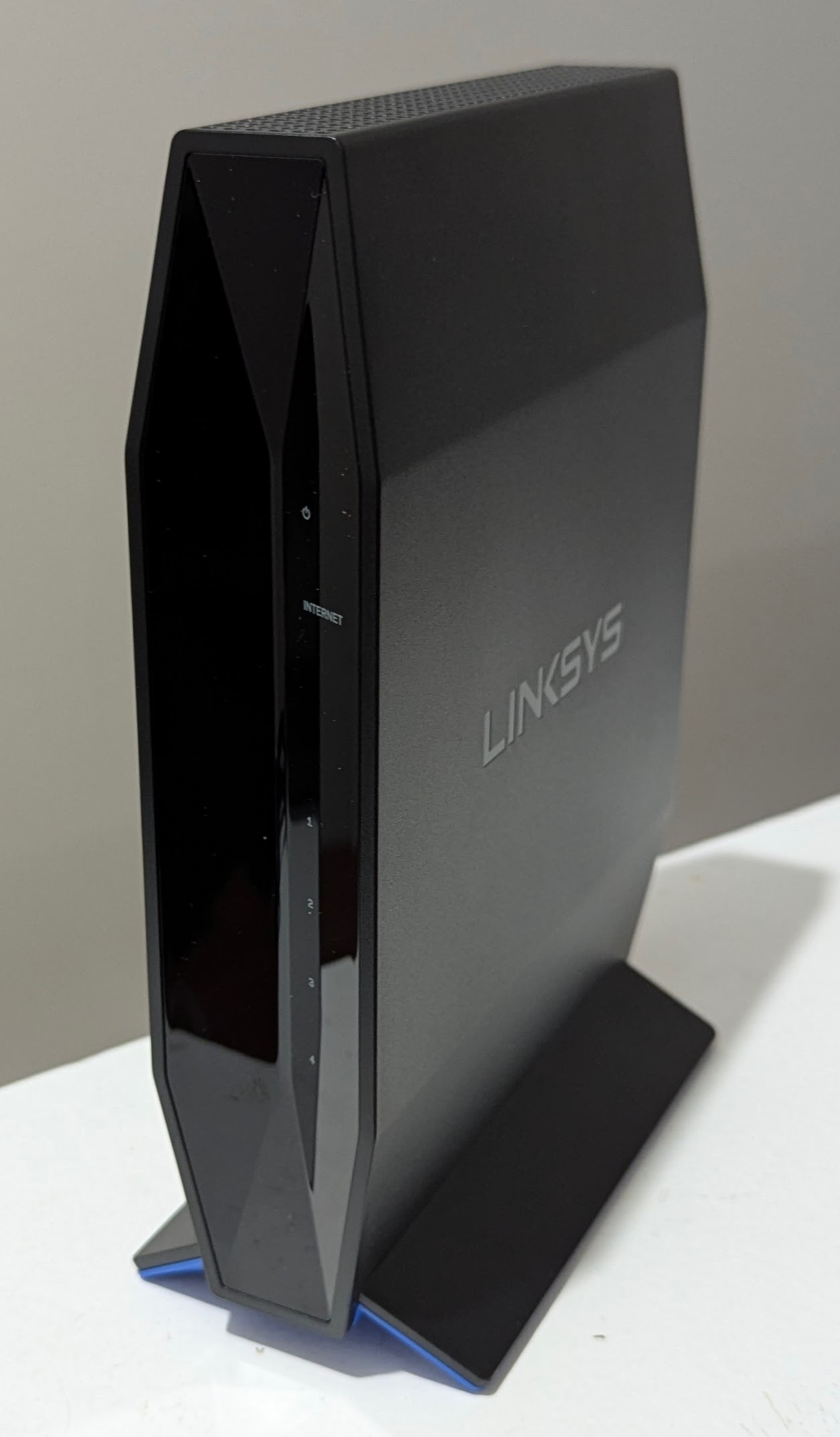
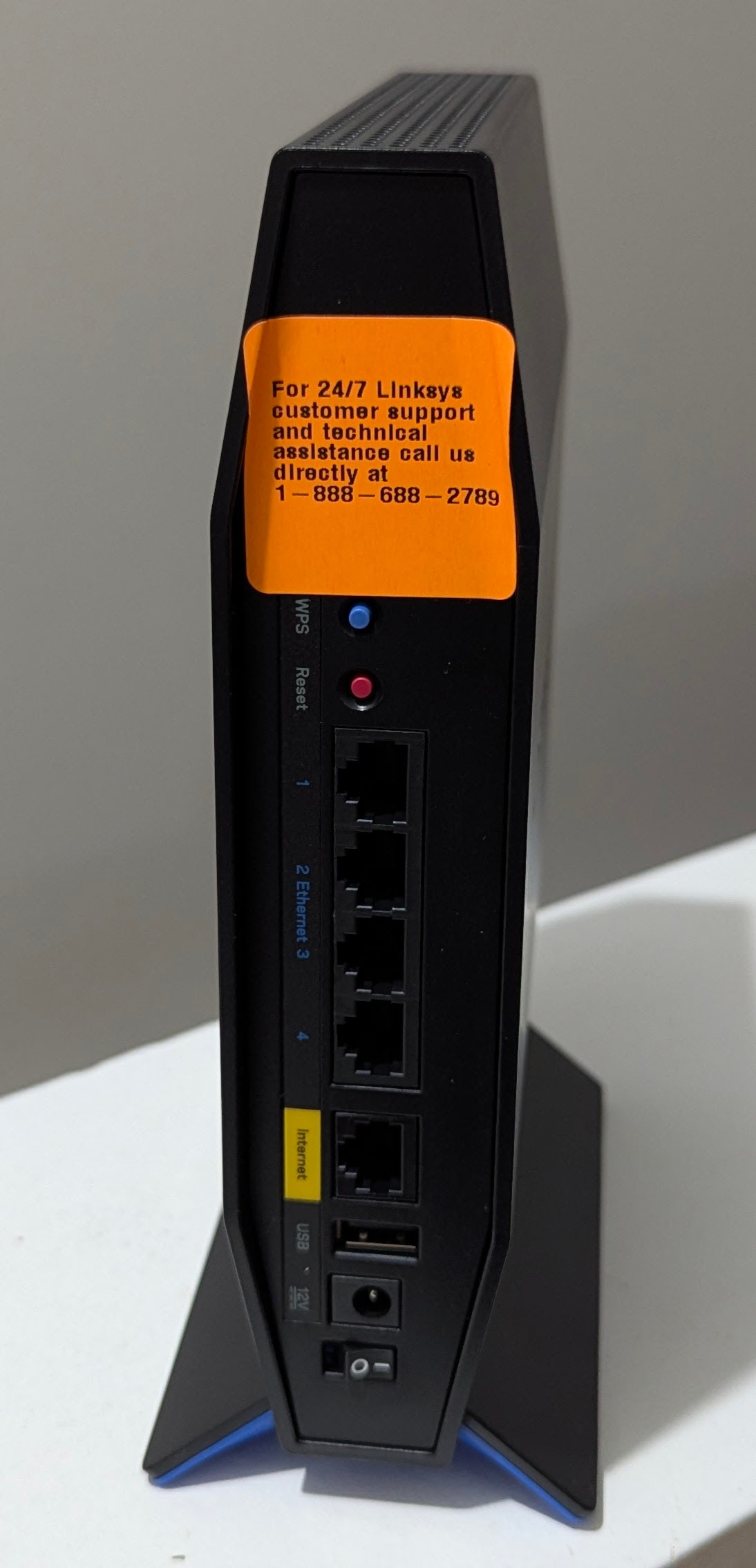
It came with a Linksys firmware version of 1.1.something so I tried to use the unsigned installer as instructions say, and it wouldn't accept it. The signed installer worked.
I purchased a Belkin RT3200 which I installed OpenWRT 24.10 onto about a week ago. All has been going well. I purchased a second Belkin RT3200 to setup as a Mesh node, following this video guide: https://www.youtube.com/watch?v=vVoZppb_FR0
I am most of the way through the config of the Access Point, but now I have lost the ability to access it.
I managed to follow all steps for the main router:
Setup my main WAN facing router with the WPAD-basic-openssl package (after uninstalling the standard WPAD package)
Configure a 802.11s mesh on LAN that router (2.4GHz)
Setup WPA3-SAE with a Key
I wired into a LAN port on the second RT3200 to set it up as an AP, without the second RT3200 connected to the main router
I went to Network >> interfaces and setup the LAN interface. In the DHCP Server Tab I clicked Ignore Interface (unclear if I should have done that). In the General Settings tab I set the router to be a DHCP Client. I clicked save and apply, and that gave me 90 seconds to log back into the Access Point for the settings to be saved.
I patched one of the Access Point LAN ports to a LAN Port on the main router, logged into the main router (192.168.1.1), found the IP assigned to the Access Point (192.168.1.165), logged into the Access Point and it said the config was successfully updates.
Now logged into the WAN interface I started making the changes described in the video; Removed the WAN and WAN6 Interfaces, Assigned the WAN Switch Port to the LAN Interface, deleted the two firewall zones
At this point I clicked Save and Apply, which is not what the video said to so. The video wanted you to go to start up and disable dnsmasq, firewall, and odhcpd before clicking save and apply. I didn’t get that far, and perhaps I’ve caused an issue here
Now I have lost access to the Access Point.
When I login to the Main Router (192.168.1.1) which I can still do when hardwired into either the Main Router or the Access Point, I can still see the second router connected on 192.168.1.165
Active DHCP Leases
Hostname	IPv4 address	MAC address	Lease time remaining
<Desktop>	192.168.1.230	<Redacted>	11h 56m 58s
OpenWrt	    192.168.1.165	<Redacted>	11h 53m 48s
However:
Putting 192.168.1.165 into the browser I get no connection (no login screen and Unable to connect page in Firefox)
Pinging 192.168.1.165 I get “Destination port unreachable”
I pinged 192.168.1.165 during a reboot of the router:
o The first few pings were “Request timed out”
o The next 8 were “Reply from 192.168.1.230: Destination host unreachable”. I believe .230 is my laptop
o Then back to Reply from “192.168.1.165: Destination port unreachable”
I tried to SSH into the Access Point and got the error “ssh: connect to host 192.168.1.165 port 22: Connection refused”
I have tried rebooting the Access Point several times, including interrupting the boot sequence several times, and still no luck.
I’m agree with @Underworld just use WDS. I’ve used for years (one main RT3200 and two connected via WDS as dumb APs) and works very well. Can do funky stuff like use VXLAN to send transfer 2.4 GHz main network / guest network traffic over the 5Ghz WDS links.
Thanks guys. I managed to get the router back by doing a factory reset.
I'm not so confident in this stuff, so the video guide gave me the confidence to have a go. Now I (think I) have managed to get mesh working after 7hrs of messing around today, I think I'll leave it for a while, however I've noted WDS down to try if I have to start again!
Finally had a chance to attack this today. I'm getting some visuals on the board I hadn't seen before and the load attempts but as the Putty phase starts, it just goes into a loop of "can't get kernal" and "ethernet address not found.
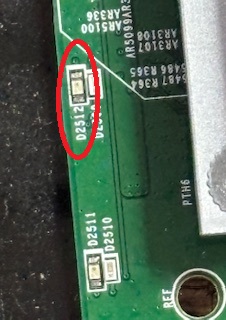
Once the Putty load starts, all the ethernet LED (blue) light, go off and come back on with the (amber) LED for the router connection D2512 lit.
C:\FIX>mtk_uartboot -a -s COM3 -p mt7622-ram-1ddr-bl2.bin -f openwrt-23.05.3-mediatek-mt7622-linksys_e8450-ubi-bl31-uboot.fip && putty.exe -serial COM3 -sercfg 115200,8,n,1,N
mtk_uartboot - 0.1.1
Using serial port: COM3
Handshake...
hw code: 0x7622
hw sub code: 0x8a00
hw ver: 0xcb00
sw ver: 0x100
Baud rate set to 460800
sending payload to 0x201000...
Checksum: 0x721d
Setting baudrate back to 115200
Jumping to 0x201000 in aarch64...
Waiting for BL2. Message below:
==================================
NOTICE:  BL2: v2.12.0(release):OpenWrt v2025.02.12~e0907706-1 (mt7622-ram-1ddr)
NOTICE:  BL2: Built : 00:05:52, Feb 20 2025
NOTICE:  WDT: Cold boot
NOTICE:  CPU: MT7622
NOTICE:  WDT: disabled
NOTICE:  Starting UART download handshake ...
==================================
BL2 UART DL version: 0x10
Baudrate set to: 921600
FIP sent.
==================================
NOTICE:  Received FIP 0xf914c @ 0x40400000 ...
==================================
Then it just boot-loops not finding ethernet. Note the "Wrong Image Formate for bootm command"
UBI partition 'ubi' already selected
Volume fit not found!
Wrong Image Format for bootm command
ERROR: can't get kernel image!
Volume recovery not found!
Wrong Image Format for bootm command
ERROR: can't get kernel image!
Volume recovery not found!

Error: ethernet@1b100000 address not set.

Error: ethernet@1b100000 address not set.

Error: ethernet@1b100000 address not set.

Error: ethernet@1b100000 address not set.

Error: ethernet@1b100000 address not set.

Error: ethernet@1b100000 address not set.

Error: ethernet@1b100000 address not set.

Error: ethernet@1b100000 address not set.
No ethernet found.

Error: ethernet@1b100000 address not set.

Error: ethernet@1b100000 address not set.
Wrong Image Format for bootm command
ERROR: can't get kernel image!

Error: ethernet@1b100000 address not set.

Error: ethernet@1b100000 address not set.

Error: ethernet@1b100000 address not set.

Error: ethernet@1b100000 address not set.

Error: ethernet@1b100000 address not set.

Error: ethernet@1b100000 address not set.

Error: ethernet@1b100000 address not set.

Error: ethernet@1b100000 address not set.
No ethernet found.

Error: ethernet@1b100000 address not set.

Error: ethernet@1b100000 address not set.
Wrong Image Format for bootm command
ERROR: can't get kernel image!

Error: ethernet@1b100000 address not set.

Error: ethernet@1b100000 address not set.

Error: ethernet@1b100000 address not set.

Error: ethernet@1b100000 address not set.

Error: ethernet@1b100000 address not set.

Error: ethernet@1b100000 address not set.

Error: ethernet@1b100000 address not set.

Error: ethernet@1b100000 address not set.
No ethernet found.

Error: ethernet@1b100000 address not set.

Error: ethernet@1b100000 address not set.
Wrong Image Format for bootm command
ERROR: can't get kernel image!

type or paste code here
^^^^
THIS just repeats until I switch the board power off.
So, following your instructions for Hard Recovery, this is as far as I can get this board. I can't get to the uboot menu to start the commands.
Any idea on what next?
I run this on a 17" windows laptop in the shop i use for my mill, but I also attempted this on a Debian laptop with no difference.
Running everything from a \FIX directory. Here is the file list of the files and the renames you suggested. Am I missing something?
 Directory of C:\FIX

03/01/2025  11:57 AM    <DIR>          .
02/28/2025  07:05 PM            67,445 mediatek-mt7622-linksys_e8450-ubi-preloader.bin
02/21/2025  11:45 AM            54,485 mt7622-ram-1ddr-bl2.bin
07/31/2024  07:34 AM           524,288 mtd0
07/31/2024  07:34 AM         1,310,720 mtd1
07/31/2024  07:34 AM         1,048,576 mtd2
07/31/2024  07:34 AM         2,097,152 mtd3
06/20/2024  10:38 AM         2,254,848 mtk_uartboot.exe
06/20/2024  12:08 PM         1,020,236 openwrt-23.05.3-mediatek-mt7622-linksys_e8450-ubi-bl31-uboot.fip
02/28/2025  07:15 PM         9,908,531 openwrt-23.05.4-mediatek-mt7622-linksys_e8450-ubi-squashfs-sysupgrade.itb
02/28/2025  07:11 PM         1,020,236 openwrt-mediatek-mt7622-linksys_e8450-ubi-bl31-uboot.fip
02/28/2025  07:13 PM         7,602,176 openwrt-mediatek-mt7622-linksys_e8450-ubi-initramfs-recovery.itb
Sorry if this got a little long, just wanted to get all the info I have on the table so if I've made a mistake it can be pointed out easily.
Rick
edit: one other thing I forgot. Since it was complaining about ethernet, I disconnected the ethernet cable from the laptop to the board. The mtk_uartboot freezes at the handshake. Once I plug the ethernet cable back in, the process continues. So there is some awareness of the ethernet whether it can use it or not.
mtk_uartboot is doing everything it's supposed to be doing, so that's good news. Sadly, your factory partition is indeed toast. You're going to need to replace it, preferably with a copy from your other router of the same model. You will have to use a hex editor or U-Boot to update the data with the correct MAC addresses.
Since you have access to a Debian installation, that will actually make the process much easier. The reason it failed for you is because you got caught in a minor problem caused by the completely corrupted flash content. In the older 23.05.x version FIPs, the code was configured to automatically rebuild UBI and U-Boot environment volumes when it can't access them. The final part of that automatic process is a reboot. Therefore, the first time it gets used, you won't get a chance to access the U-Boot menu. It will reboot to the fip on the flash, which is broken, and then it's as if you never ran mtk_uartboot. If you power it down after it has started the reboot but before it fully reboots to the onboard/broken version, you can then re-run mtk_uartboot successfully. You'll most likely have to issue the below U-Boot commands (substituting your real MAC address, of course) in order to get TFTP to work, however.
setenv ethaddr=00:11:22:33:44:55
saveenv
If you're stuck using PuTTY, its slow startup presents a big issue when using the official FIP. PuTTY is very slow to start, but the U-Boot environment established by the official FIP gives you only a 3 second window to interrupt the boot. This window is far too small to catch it in PuTTY. Hope isn't lost, however. You can use the below solution.
Back during the OKD recovery days, I compiled a FIP specifically for the purpose of getting around boot loop/corrupted flash problems with this device: https://github.com/grauerfuchs/owrt_device_support/raw/refs/heads/main/linksys-e8450-foxed-for-openwrt-23.05-noinit.fip
The above fip is configured for the layout used by OpenWRT release 23.x. It will not initialize the UBI, it has a boot delay of 30 seconds instead of the 3 in the official version, and it also adds a few additional protocols, support components, and it should automatically generate a random MAC address for use while in the U-Boot environment. Simply update the mtk_uartboot command line to use the above file as the fip instead. Do not burn this file to flash; Use the official version when writing the fip to flash.
Now, to break down the errors you're seeing on the boot loop: Volume fit not found! - The production firmware image isn't present in UBI. Volume recovery not found! - The recovery firmware (initramfs) image isn't present in UBI. Error: ethernet@1b100000 address not set. - U-Boot doesn't have a MAC address, and one couldn't be found in the factory partition. TFTP and other network features will not work until a MAC address is provided.
This basically continues because all of the fallback boot options have failed. It has nothing left to fall back upon.
I see errors like below in the log on a device running stock 24.10 (wpad-mbedtls is running instead of wpad-basic-mbedtls), is there anything to do to address this?
daemon.err hostapd: VLAN: vlan_event_receive: recvfrom failed: No buffer space available
(edit- added more log below)
Sun Mar  2 04:03:40 2025 daemon.notice hostapd: wlan1: interface state DFS->ENABLED
Sun Mar  2 04:03:40 2025 daemon.notice hostapd: wlan1: AP-ENABLED
Sun Mar  2 04:03:40 2025 daemon.err hostapd: VLAN: vlan_event_receive: recvfrom failed: No buffer space available
Sun Mar  2 04:03:40 2025 daemon.err hostapd: VLAN: vlan_event_receive: recvfrom failed: No buffer space available
Sun Mar  2 04:03:40 2025 daemon.notice hostapd: netlink: recvfrom failed: No buffer space available```
Does anyone have any instructions how to do this step:
Delete the following files from the backup file:
/etc/config/ubootenv
/etc/fw_env.config
When re-creating the backup file make sure that permissions are restored (files should be owned by root). Some things may malfunction afterwards if not, for example Dropbear refusing SSH connections due to incorrect group ownership.
It wasn't just putty, the debian laptop (travel laptop) I was using still needed a password every time I ran sudo. So by the time I typed the password for the "screen" load, I was equally late in terminal as I was in putty so all I saw was the boot looping ethernet error. I did the visudo edit and changed that behavior for now. Now, I can get to the U-boot console.
Do I still need to do something about the MAC address or should I go back to the original Hard Recover steps?
You're quite welcome. I'm glad it solved the issue for you.
Under the option for recovering without a factory partition, the hard recovery instructions include the instructions for setting the MAC addresses prior to writing the loaded factory volume to flash. If you would prefer to edit a real file in a hex editor instead and avoid all the bit-bashing in U-Boot, there is a post in this topic containing the offsets within the factory volume. Alternatively, it's not too difficult to recalculate from memory offsets to file offset from the recovery instructions (subtract the memory starting address).
Although the recovery instructions point at a surrogate file, you can use the backed up factory volume from the matching router instead, and it will be every bit as good if not better than the surrogate file. The surrogate is a rebuilt set of EEPROMs based on the data listed in the open source driver. Although it worked properly and matched the factory options and settings in my testing, it's possible the proprietary firmware may be looking for information the surrogate does not have.
I ran into trouble yesterday/tonight with 24.10 or snapshot installs where the wifi drivers weren't loaded/running and so LUCI was all confused about basic WiFi interface configuration, and I had to go through a multi-step process to get the wifi interfaces configured/up/fully configured. I don't remember having to do this before on other OpenWRT installs, or even on the pre-24.10 first-gen UBI installs I did on these two E8450s. I've gotten past this and I have them configured properly now, and I did take some notes along the way. Is this a known/expected issue, or should I debug/report it in more detail?
It was a slog, but I got it back to recovery mode with the right MAC address... but doing so exposed a deeper issue. Long story short, it has a thermal issue. It won't run correctly for more than 30 minutes. I'm guessing this is why the previous owner wanted to sell them. The good one has now been running for more than 30 hours, and still functional. But I'm going to crack the case open and look/clean the board as the one I was working on had bad static tracking on the board... I'm guessing the previous owner or his roommate was a serious smoker, they did a lot of drywall work or they lived near salt water.
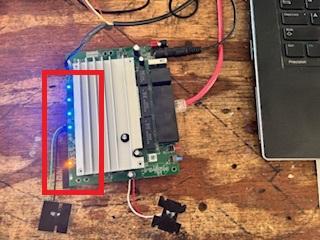
But all is not lost. A while back, perhaps on this thread, someone brought up the RT3200/e8450 wall mount case... which was really designed for the RT3200 and lacked the LED exposure for the ethernet LED indicators. I have a friend who does wonderful 3D print work so I've contacted him and sent him the Thingiverse page to see if he would like to adapt/improve on that project and add the structures to add light pipes for both versions. If so, I'll send him this board to use for patterning. I'll just solder some surface wires on the board so when he turns it on it'll light all the LEDs in the 6 locations for his rework patterning.
So my thanks to grauerfuchs and Dan Golle for all their hard work on making this hardware platform what it is. And, thanks for your help getting this broken POS fixed... sorta.
I still have 5 in production, 3 in their boxes and 2 built up to 24.10.0 ready to swap in at a moment's notice... should the need arise.
Ouch. Yes, it sounds like something got into it, all right. The airflow for this device in its factory case is entirely bottom-to-top, so it's prone to taking in fine particulate debris. If those holes are plugged or the heatsink is covered in insulating grime, or even if the heatsink was removed when said person tried to "fix" it and the old thermal compound wasn't replaced, it could definitely cause issues. At the very least, remove the heatsink, clean out underneath, and replace the thermal compound. If I recall, it's not only the CPU that needs thermal paste. Hopefully that and a good cleaning are all you'll need to get it running properly again. If that doesn't work, there might indeed be something going on hardware-wise that needs closer inspection.
As for the thanks, you're welcome, but I'm merely a tinkerer that picked up a few tricks and skills along the way as many others here in the forum have done before and after me. Definite thanks go to daniel, the whole OpenWRT dev team, and all those that worked tirelessly to provide code and/or documentation to keep this device alive and well supported.
If the power LED is blinking, it means it's getting stuck booting. You don't need JTAG for this, but you will need a Serial/UART adapter and mtk_uartboot.
I got one from Woot, too. The big sticker on the box says it has a 90-day manufacturer refurbished warranty, so you could choose to have Linksys replace it (not Woot, apparently).
I bought two of these woots and they were absolutely just like new. Great router if you don't need much performance from the USB. It's 2.0 and limited. Linksys probability errored by sticking with their soft/firm ware cause it really sucks. Once word got out or reviewed about that clunky OS, sales may have suffered. OpenWRT turns them into real DSA workhorses.