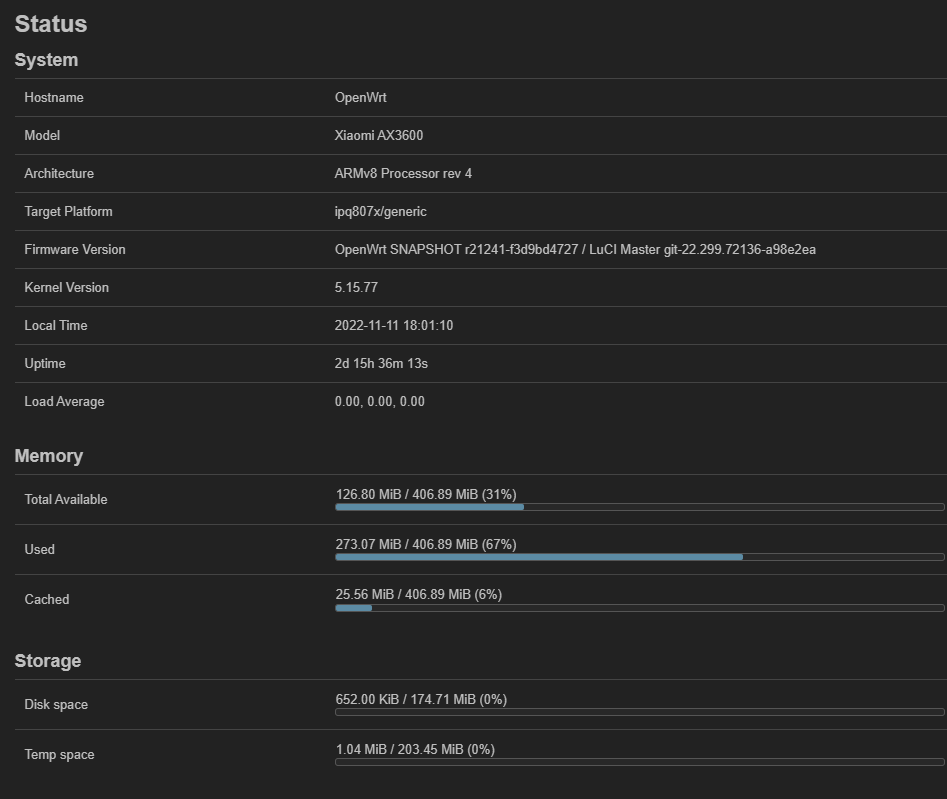
Some googling gave the following command to put into Startup:
echo performance > /sys/devices/system/cpu/cpufreq/policy0/scaling_governor
Is this the correct command and how do I check if it was successful?
I never used Linux before...
Some googling gave the following command to put into Startup:
echo performance > /sys/devices/system/cpu/cpufreq/policy0/scaling_governor
Is this the correct command and how do I check if it was successful?
I never used Linux before...
and QNAP
Filesystem                Size      Used Available Use% Mounted on
/dev/root                18.8M     18.8M         0 100% /rom
tmpfs                   434.3M      3.5M    430.8M   1% /tmp
/dev/loop0              452.1M    291.0K    423.1M   0% /overlay
overlayfs:/overlay      452.1M    291.0K    423.1M   0% /
tmpfs                   512.0K         0    512.0K   0% /dev
dev:    size   erasesize  name
mtd0: 00050000 00010000 "0:sbl1"
mtd1: 00010000 00010000 "0:mibib"
mtd2: 00180000 00010000 "0:qsee"
mtd3: 00010000 00010000 "0:devcfg"
mtd4: 00010000 00010000 "0:apdp"
mtd5: 00040000 00010000 "0:rpm"
mtd6: 00010000 00010000 "0:cdt"
mtd7: 00020000 00010000 "0:appsblenv"
mtd8: 00100000 00010000 "0:appsbl"
mtd9: 00040000 00010000 "0:art"
mtd10: 00080000 00010000 "0:ethphyfw"
mtd11: 003d0000 00010000 "reserved
 cd NR START END SECTORS SIZE NAME UUID                                                                 TYPE FLAGS SCHEME
 1    34 32801   32768  16M 0:HL 1a373c3c-588e-eff4-5182-68ad83e0e62e b51f2982-3ebe-46de-8721-ee641e1f9997 0x0   gpt
 2 32802 65569   32768  16M 0:HL 7d35f31d-0980-2220-edfd-6228595b79d2 a71da577-7f81-4626-b4a2-e377f9174525 0x0   gpt
 3 65570 98337   32768  16M 0:HL 964e7e67-6666-7303-312a-291b757640e8 3e972198-336f-11ea-baa1-52540063a6b7 0x0   gpt
 4 98338 1146913 1048576 512M root 2a213133-47f8-80a1-5d66-1d565a2ec756 98d2248d-7140-449f-a954-39d67bd6c3b4 0x0   gpt
 5 1146914 2195489 1048576 512M root 77f91baf-6750-e138-dbe5-434eaeded6dd 5647b280-dc2a-485d-9913-cf53ac40fa32 0x0   gpt
 6 2195490 3244065 1048576 512M root 8530d17c-21e3-f82b-12ec-87fd429a600e cd26dc90-3370-11ea-baa1-52540063a6b7 0x0   gpt
 7 3244066 3252257    8192   4M 0:WI 9420c4b0-ba83-2b38-6ba6-2839be048c92 5911fd72-35be-424e-975d-69c957ad3a43 0x0   gpt
 8 3252258 3285025   32768  16M rese e590e607-3410-795e-afbc-888e9b2ea17b 8da63339-0007-60c0-c436-083ac8230908 0x0   gpt
 9 3285026 7591969 4306944 2.1G root d1402149-3e8e-0709-99d9-170bfab2f66c ab1760da-a8bb-4d6f-98d2-9ad3ab9009cd 0x0   gpt
echo performance | tee /sys/devices/system/cpu/cpu*/cpufreq/scaling_governor
i use the above ... however unsure if performance is enabled on robi's build as I use on demand by default... i know schedutil is the default on robi's build
ssh to the router + issue the following command
cat /sys/devices/system/cpu/cpufreq/policy0/scaling_governor
This would read (and print) the requested value
Thanks to both of you,
it worked, at least it tells me that it is set to performance.
BTW: I am using dimfish's fork / extended version too and so far everything works great.
Well, I was not able to flash from stock xiaomi firmware (miwifi_r3600_all_6510e_3.0.22_INT.bin) directly (flashing openwrt-ipq807x-generic-xiaomi_ax3600-nand-initramfs-factory.ubi (image is booting) -> flashing openwrt-ipq807x-generic-xiaomi_ax3600-squashfs-nand-factory-kernel.ubi + openwrt-ipq807x-generic-xiaomi_ax3600-squashfs-nand-factory-rootfs.ubi -> router is dead (solid orange light).
I'm propably to dumb for it ... 
Is there someone out willing to revert to stock, ideally with uart on hand to verify my stupidity? Because it does not make any sense why this is not working from stock firmware. As from OpenWrt it is working ...
Guide:
https://github.com/Ansuel/openwrt/commit/4b22dff58a0aabbd68c4102c05e2c9f0bf1c9121
Files:
https://github.com/Ansuel/openwrt/releases/download/ipq807x-2022-11-09-1828/openwrt-ipq807x-generic-xiaomi_ax3600-nand-initramfs-factory.ubi
https://github.com/Ansuel/openwrt/releases/download/ipq807x-2022-11-09-1828/openwrt-ipq807x-generic-xiaomi_ax3600-squashfs-nand-factory-kernel.ubi
https://github.com/Ansuel/openwrt/releases/download/ipq807x-2022-11-09-1828/openwrt-ipq807x-generic-xiaomi_ax3600-squashfs-nand-factory-rootfs.ubi
I did exactly this.
Step 1. check ... working
Step 2. check ... working
Step 3. check ... not working
If I do this within an already installed OpenWrt (so without step 1+2) it is working.
I gave up to try to install extended partition setup from stock firmware directly (I have no uart to see what is going on). The root task is confirmed to be working from several ppl. here. There is no need to pollute this thread further about my inability. Thx for help anyway @ all! 
I Installed the Ansuel's 817f515 rel. The instructions worked well, I started with installed openwrt. Something wrong with the luci. (RPC call to luci/getFeatures failed with error -32000: Object not found).
I installed the dimfish's release and everything works ok.
ATM I'm trying to built a working version based on Ansuel's repo 
Luci problem are not related to partition
I have the same problem with Luci as @mattimat , after i installed your release and i can't fix it. When I try to re-flash your release, I get the following message:
> root@OpenWrt:~# ubiformat /dev/mtd12 -y -f /tmp/openwrt-ipq807x-generic-xiaomi_ax3600-squashfs-nand-factory-rootfs.ubi
> ubiformat: error!: please, first detach mtd12 (/dev/mtd12) from ubi0
I have no problem flashing the kernel. I am using your guide. I have the partition extended to 175 MiB. Please help!
Thank you, I also guessed that.
@mattimat can you help, how you solved this error?
root@OpenWrt:~# ubiformat /dev/mtd12 -y -f /tmp/openwrt-ipq807x-generic-xiaomi_ax3600-squashfs-nand-factory-rootfs.ubi
ubiformat: error!: please, first detach mtd12 (/dev/mtd12) from ubi0
I didn't have any errors in ubiformat phase. Check the partition table and active partition. I guess.
For this case just use the sysupgrade!
I did this 30min ago that fix luci error.
You need the file from dimfish.
sysupgrade -v /tmp/openwrt-ipq807x-generic-xiaomi_ax3600-squashfs-nand-sysupgrade.bin
very thanks you, everything works now
I have a new problem, I use vpn on the router and in @Ansuel releases I edited the file - ipq807x.yaml and added kmod-tun with the command echo "CONFIG_PACKAGE_kmod-tun=y\n" >> .config on github, while @dimfish does not have this file. How can I add this package at @dimfish? Does anyone know?
My build already contain all kernel modules!
You can install anything for example openvpn-wolfssl and kmod-tun will be installed automatically as dependency.
Indeed, everything is, thank you You are doing an amazing job, greetings!!